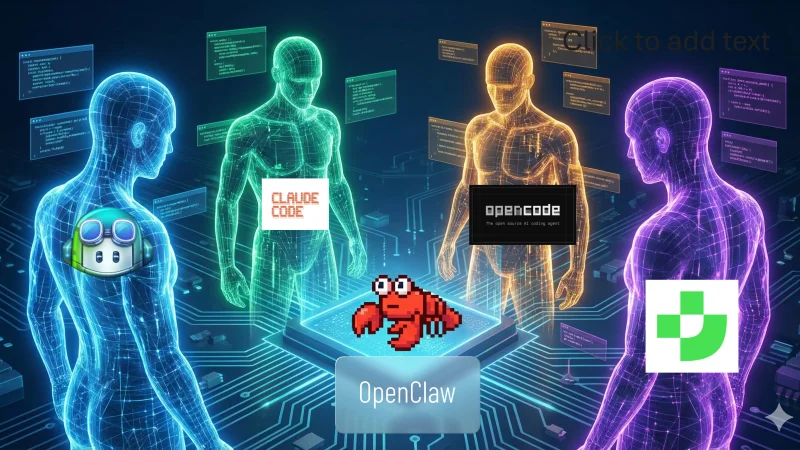
Agentic Coding Systems Landscape 2026
A year ago, the question was simple: “Which LLM is the best?” I compared the big models head to head — and that was the cutting edge. Pick the smartest model, plug it into your editor, and you had the best setup.
Today, the race has shifted. We’ve moved from a model competition to an agentic race. It’s no longer about which LLM writes the best code — they’re all remarkably capable. The question is how deep the AI goes, what you can plug into it, and how much of your workflow it can orchestrate autonomously. The landscape has exploded into a 3-layer stack, and understanding those layers matters more than any individual tool comparison.
I’ve spent the past months working with eight different systems across this stack: Claude Code, GitHub Copilot, OpenCode, Cursor, AntiGravity, Gemini CLI, Junie, and JetBrains AI Assistant. Here’s what I’ve learned about what actually matters.
The Three Layers
Every agentic coding system is built on three layers, and most comparisons only talk about the first two. Understanding all three is the key to picking the right setup — and getting the most out of whichever tools you choose.
Layer 1: The LLM
The foundation. The raw intelligence that powers everything else. This layer is about model quality — reasoning ability, code generation accuracy, context window size, instruction following.
This is still the layer that matters most. A mediocre agentic system on top of a great model will outperform a brilliant system on a weaker model. The model determines the ceiling of what’s possible; everything else determines how close you get to it.
The practical implication: choosing a system also means choosing which models you have access to. Some systems are locked to a single provider. Others let you bring your own API key. This flexibility — or lack of it — shapes your experience more than most people realize.
Layer 2: The Agentic System
The orchestration layer. This is the software that sits between you and the LLM — the CLI tool, the IDE extension, the agent framework. It determines how the model interacts with your codebase: can it read files, execute commands, create branches, run tests? How does it plan multi-step tasks? How much autonomy does it have?
This layer is where the “agentic” in agentic coding comes from. A basic autocomplete tool sends your cursor position to a model and pastes back the suggestion. A fully agentic system can explore a codebase, form a plan, edit multiple files, run the build, fix errors, and commit — all from a single prompt.
The range here is enormous. On one end, you have inline autocomplete that completes the line you’re typing. On the other, you have autonomous agents that take a task description and execute it across dozens of files with minimal supervision.
Layer 3: Context Engineering
The underrated layer. This is everything you do to shape what the model sees and how it understands your project. It includes:
- Skills and custom commands — reusable workflow templates that encode your team’s processes (like my blog writing skills)
- MCP servers — external tool integrations that extend what the agent can do (like wiring in image generation)
- Agent instruction files — AGENTS.md, CLAUDE.md,
.cursorrules, and similar files that give the model project-specific context and conventions - Rules and memory — custom rules, project knowledge, persistent memory that accumulates across sessions
This is the layer most people underestimate. Two developers using the exact same tool with the exact same model will get vastly different results depending on how well they’ve engineered the context around it. A well-configured context layer turns a general-purpose coding assistant into something that understands your project’s architecture, follows your team’s conventions, and executes your specific workflows.
Context engineering is to agentic coding systems what DevOps was to deployment: a discipline that started as “nice to have” and became essential. The teams investing here are the ones pulling ahead.
Terminal vs IDE-Native
Before diving into individual tools, there’s a natural split in the landscape worth understanding: terminal agents and IDE-native assistants. They solve the same problem from different starting points.
Terminal agents — Claude Code, OpenCode, Gemini CLI — operate in your shell as TUIs (Text-based User Interfaces), a term gaining traction as these tools evolve well beyond simple command-line prompts into rich interactive experiences — with panels, diffs, and real-time feedback — all rendered in text. You give them a task in natural language, they explore files, run commands, edit code, and report back. The interaction model is conversational: you describe what you want, the agent figures out how to do it. You stay close to the code, reviewing diffs and approving changes.
IDE-native assistants — GitHub Copilot, Cursor, AntiGravity, JetBrains AI Assistant/Junie — live inside your editor. They range from inline autocomplete to full agentic panels. The interaction is more visual: you see suggestions inline, chat in a sidebar, or dispatch tasks from a command palette. The editor provides the UI layer.
Neither approach is inherently better. Terminal agents tend to offer deeper agentic capabilities and more flexible tool integration. IDE-native tools offer tighter visual integration with your editing workflow. The best setups often combine both — a terminal agent for complex multi-file tasks, an IDE assistant for inline completions and quick edits.
The Landscape
Here’s how the eight systems stack up across the dimensions that matter most.
Agentic Coding Systems Comparison
| System | LLM Support | Context Engineering | Pricing | Openness |
|---|---|---|---|---|
| Claude Code | Claude models (Sonnet, Opus, Haiku) | Skills, MCP, CLAUDE.md, rules, memory | Pro subscription or API | Proprietary CLI, open config format |
| GitHub Copilot | Multi-model (GPT, Claude, Gemini, others) | Copilot instructions, MCP, agent mode with multiple models | Free tier + paid plans | Proprietary, deep GitHub integration |
| OpenCode | Model-agnostic (any provider via API) | MCP, AGENTS.md, custom providers | Free (open-source), pay for API | Fully open-source |
| Cursor | Multi-model (Claude, GPT, custom) | .cursorrules, docs context, codebase indexing | Free tier + Pro plan | Proprietary VS Code fork |
| AntiGravity | Gemini models | Google-specific agent config, built-in browser | Free (preview) | Proprietary VS Code fork, Google ecosystem |
| Gemini CLI | Gemini models | GEMINI.md, MCP support | Free tier with limits | Open-source |
| Junie | Multi-model (via JetBrains) | JetBrains project model, guidelines | Included in JetBrains AI subscription | Proprietary, JetBrains ecosystem |
| JetBrains AI | Multi-model (JetBrains, Claude, GPT) | JetBrains project context, custom prompts | Included in JetBrains subscription | Proprietary, JetBrains ecosystem |
System-by-System Takes
Claude Code
The most complete agentic system available. Its real strength isn’t just the Claude model — it’s the context engineering layer. Skills let you encode entire workflows as reusable commands. MCP integration means you can wire in external tools (image generators, documentation servers, database clients) and have the agent use them autonomously. CLAUDE.md files give project-specific instructions that shape every interaction.
If you invest time in context engineering, Claude Code rewards that investment more than any other system. The terminal-native workflow keeps you close to the code — you review diffs, approve file changes, and maintain understanding of what’s happening. The trade-off is that you’re working in a terminal, not a visual editor. For complex multi-file tasks and automated workflows, nothing else comes close.
GitHub Copilot
The best IDE integration, period. Copilot lives inside VS Code (and other editors) and provides the smoothest inline autocomplete experience. It’s the tool that stays out of your way while quietly making you faster on every keystroke.
The recent and significant development: GitHub has opened Copilot’s agent mode to work with multiple agentic models — including Claude. This means you can now run the same model that powers Claude Code directly inside VS Code through Copilot’s interface. The implication is huge: you can centralize your MCP configuration, skills, and instruction files while staying in your preferred IDE. The line between “terminal agent” and “IDE agent” is blurring.
OpenCode
The best open-source option, and honestly, a better terminal experience than Claude Code in several ways. The TUI (Text-based User Interface) is polished — no flickering, cleaner rendering, smoother interactions. It’s lightweight, fast, and model-agnostic: bring whichever provider and model you prefer.
The catch: Anthropic removed the ability to use Claude models in OpenCode with a Pro subscription. You need an API token, which gets expensive fast. This is the core tension — OpenCode feels better to use, but the model behind it is what matters most. If you could run Claude via Pro subscription in OpenCode, I’d probably use it more. As it stands, the economics push me back to Claude Code for Claude-powered tasks.
Cursor
A VS Code fork built around AI from the ground up. It felt faster than GitHub Copilot for code generation in my testing, and it has solid agentic features with multi-model support and good codebase indexing. The .cursorrules file provides basic context engineering.
But for me, it wasn’t enough to leave native VS Code. I prefer the standard VS Code environment with Copilot over a fork, even if the fork occasionally produces results faster. The switching cost, the subtle UI differences, the risk of falling behind upstream VS Code — it adds up. If you’re starting fresh and don’t have strong VS Code habits, Cursor is a solid choice. If you’re already invested in the VS Code ecosystem, the marginal improvement didn’t justify the switch for me.
AntiGravity
Google’s most ambitious entry — a VS Code fork that tries to replace the “text editor” with an “orchestration deck.” You dispatch multiple agents in parallel, monitor them through a Mission Control view, and review artifacts (plans, screenshots, diffs) rather than writing code directly.
The technology is impressive. The built-in Chromium instance for visual verification is something no extension can replicate. But using it feels less like engineering and more like middle management. You spend more time auditing agent output than thinking about logic. And the multi-agent parallel workflow? For me, it’s a nightmare, not a feature. I can’t context-switch across five reasoning chains simultaneously. I’m a developer, not an air traffic controller.
Google is likely ahead of its time here. The industry isn’t ready for full delegation — we still need to build trust with these tools. AntiGravity is worth watching, but I’d rather stay closer to the code.
Gemini CLI
My worst experience in this roundup. Gemini CLI is free, and that’s about the only thing going for it. Using the free tier makes it painfully slow. The UX isn’t better than Claude Code — which means it’s noticeably worse than OpenCode. If I wanted to stay in the Gemini ecosystem, I’d use AntiGravity instead.
That said, it’s open-source and supports MCP, so the foundation is there. If Google improves the performance and model access, it could become a viable free terminal agent. Right now, it isn’t.
Junie
The best agentic option for JetBrains IDEs. If you live in IntelliJ, PyCharm, or any other JetBrains product, Junie understands the project model deeply — build systems, dependency graphs, run configurations. It’s the closest thing to a JetBrains-native Claude Code.
The interesting development: JetBrains is merging the Junie and JetBrains AI Assistant experiences. Junie is becoming another agentic mode selectable within the AI Assistant interface, rather than a separate tool. This mirrors the broader convergence trend — the IDE becomes the shell, the agent becomes a pluggable choice.
JetBrains AI Assistant
JetBrains’ equivalent of GitHub Copilot — inline completions, chat, code explanations, refactoring suggestions. Solid for day-to-day coding within JetBrains IDEs. Multi-model support means you can choose between different providers.
With Junie merging into it, JetBrains AI Assistant is becoming a unified interface for both autocomplete-style assistance and full agentic workflows. For JetBrains users, this means you won’t have to choose between the two — they’ll be different modes of the same tool.
The Convergence
The most significant trend isn’t any single tool getting better. It’s that the boundaries between these categories are dissolving.
GitHub opened Copilot’s agent mode to third-party models. JetBrains made Junie a selectable agent within their AI Assistant. The pattern is clear: the IDE is becoming a thin shell, and the agentic model is becoming a pluggable component.
This has a practical implication that matters right now. If you use VS Code with Copilot, you can now invoke Claude as your agentic model — getting Claude Code-level reasoning directly inside your editor. You can centralize your configuration: one set of MCP servers, one set of instruction files, one set of skills — accessible whether you’re in the terminal or the IDE.
The tools are converging toward a model where:
- You pick your IDE based on editing preferences, not AI capabilities
- You pick your model based on quality and cost
- You invest in context engineering because that’s the layer that’s portable and compounding
This is why context engineering is the most important investment you can make. Your MCP servers, your skills, your instruction files — these survive when you switch models or editors. They’re the durable layer in a landscape where everything else is in flux.
My Setup
For transparency, here’s what I actually use day-to-day:
- Claude Code for complex agentic tasks — multi-file refactors, automated workflows, anything that benefits from deep context engineering. This blog’s entire writing workflow runs through Claude Code skills.
- GitHub Copilot for inline completions and quick edits inside VS Code — the lowest-friction way to stay productive on everyday coding.
- OpenCode when I want a lighter terminal experience or need a model-agnostic option.
This combination covers all three interaction modes: autonomous agent, inline assistant, and lightweight terminal companion. The glue between them is the context engineering layer — my MCP servers, instruction files, and skills work across all three.
Final Thoughts
The agentic coding landscape in 2026 is moving fast. New tools appear monthly, existing ones add capabilities weekly, and the boundaries between categories keep blurring.
But through all that churn, the three-layer framework holds: the LLM sets the ceiling, the agentic system determines how you interact, and context engineering determines how much value you extract.
If you take one thing from this article, let it be this: don’t just compare tools. Compare how each tool lets you engineer context. The system that lets you encode your team’s knowledge, connect to your specific tools, and automate your particular workflows — that’s the one that compounds.
The model will keep improving. The IDEs will keep converging. But the context you build? That’s yours, and it’s what makes the difference between a coding assistant and a coding partner.
Related: For a deep dive into context engineering in practice, see how I use skills and automating with MCP.
