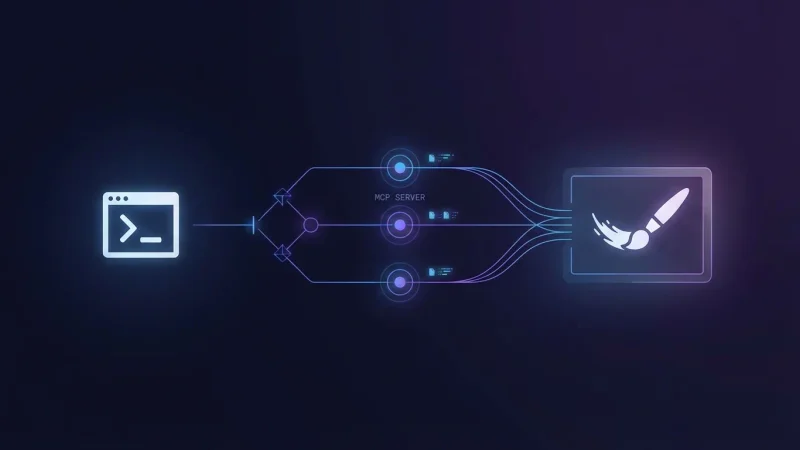
Automate with MCP
In my previous post, I showed how Claude Code skills turned blog post creation into a streamlined workflow. What started as two skills — /init-post for scaffolding and /write-post for writing — has grown into a system of six composable skills that handle everything from concept cards to LinkedIn promotion. Together, they eliminate most of the friction between having an idea and having a published article.
Most. Not all.
The cover image was still manual. After writing, the skill would suggest a prompt for image generation — a nice touch, but that’s where automation ended. I’d copy that prompt, open a browser, paste it into an image generation tool, download the result, and upload it to the correct branch on GitHub. On a laptop, mildly annoying. On a phone, genuinely painful. Navigating GitHub’s mobile UI to upload a file to the right pull request is nobody’s idea of a good time.
So I fixed it. The missing piece was MCP.
What is MCP?
MCP — Model Context Protocol — is a standard that lets AI assistants connect to external tools and services. Think of it as a plugin system: instead of the AI only being able to read and write files, MCP servers give it access to APIs, databases, browsers, and in this case, image generation.
Claude Code supports MCP natively. You declare which servers you want in a .mcp.json file, and Claude gets access to the tools they expose. The key insight is that skills can use MCP tools just like any other tool. Which means if there’s an MCP server that generates images, my /write-post skill can call it directly — no browser, no copy-paste, no manual upload.
The Setup
Getting this working required four things: an API key, the right MCP server, the configuration, and a small workaround for web-based environments.
Finding the Right MCP Server
I use Nano Banana, an MCP server that wraps Google’s Gemini image generation. It produces 4K images with good quality, which is what I need for blog cover images.
I found it through the Model Context Protocol registry — an important detail when you’re running Claude Code in a cloud environment. Knowing the source is from the official registry gives confidence that the server isn’t doing anything unexpected.
The Configuration
The MCP server is declared in .mcp.json at the project root:
{
  "mcpServers": {
    "nanobanana": {
      "command": "uvx",
      "args": [
        "--python",
        "3.11",
        "nanobanana-mcp-server"
      ],
      "env": {
        "IMAGE_OUTPUT_DIR": "./generated_images"
      }
    }
  }
}
This file is versioned — it lives in the repository so the setup is reproducible. Notice what’s not in there: the API key. The Gemini API key is picked up from the environment automatically. Never put secrets in version-controlled files.
For Claude Code on the web, I set the API key as a Claude Code environment variable through the web interface. The MCP server picks it up from there without any hardcoding.
The Web Environment Hook
There’s one catch with cloud-based Claude Code: uvx (the tool that runs the MCP server) isn’t pre-installed. I needed a SessionStart hook that installs it — but only on remote instances, not on my local machine where it’s already available:
{
  "hooks": {
    "SessionStart": [
      {
        "matcher": "",
        "hooks": [
          {
            "type": "command",
            "command": "if [ \"$CLAUDE_CODE_REMOTE\" = \"true\" ]; then pip install uv; fi"
          }
        ]
      }
    ]
  }
}
This lives in .claude/settings.json. The CLAUDE_CODE_REMOTE check ensures it only runs on web instances. On my local machine, uv is already installed, so the hook is a no-op.
Wiring It Into the Skill
With the MCP server configured, integrating it into /write-post required two changes to the skill file.
First, adding the MCP tool to the skill’s allowed tools:
allowed-tools: Read, Write, Edit, Glob, Grep, Bash(ls:*), Bash(mv:*),
  Bash(rm:*), Bash(git add:*), Bash(git commit:*), Bash(git status:*),
  Bash(git diff:*), mcp__nanobanana__generate_image
That last entry — mcp__nanobanana__generate_image — is all it takes to give the skill permission to generate images. The naming convention is mcp__<server>__<tool>.
Second, I added a new phase at the end of the writing workflow. After the article is written and metadata is enriched, the skill checks whether the post still uses the default cover image. If it does, it offers three choices:
- Skip image generation — keep the default, but still get a suggested prompt you can use manually later
- Generate with the suggested prompt — Claude crafts a prompt based on the article content and generates the image immediately
- Generate with a custom prompt — you provide or tweak the prompt, then generate
This three-way choice is deliberate. Sometimes the first generated image is perfect and the PR needs no further review. Other times I want to tweak the prompt or handle the image myself. The automation doesn’t take away control — it just removes the friction when control isn’t needed.
When generating, the skill calls the MCP with specific parameters — 4K resolution, 16:9 aspect ratio, pro model tier — then moves the result into the post folder as cover.png, cleaning up temporary files along the way.
The End-to-End Workflow
Here’s what creating a blog post looks like now:
/init-post— answer a few questions (title, topic, date), get a scaffolded post with frontmatter and a default cover image/write-post— go through the interview or dump bullet points, get a polished article with tags, SEO keyword, and internal links- Image prompt — review the suggested prompt, hit generate, and the cover image lands in the right folder automatically
- Done — commit, push, and Cloudflare builds a preview deploy on the PR
The entire flow happens in the terminal. No browser tabs. No manual file uploads. No fighting GitHub’s mobile UI. If the generated image looks good on the first try, the PR is ready for review without any additional steps.
Final Thoughts
The pattern here is simple and repeatable: identify the manual gap in your workflow, find an MCP server that fills it, wire it into your skill.
Skills handle the logic and user interaction. MCP servers handle the external capabilities. Together, they’re composable — you can keep stacking them as new MCP servers become available. Image generation today, maybe diagram generation or social media card creation tomorrow.
The broader takeaway isn’t about cover images specifically. It’s that MCP turns Claude Code from a code assistant into an orchestration layer. Every external service with an MCP server becomes a tool your skills can use. And every manual step you eliminate from a repeated workflow compounds over time.
This article was written using /write-post. Its cover image was generated by the MCP integration described in it. It’s automation all the way down.
...col StackMCP (Model Context Protocol) established a standard for connecting AI...
...use-skills)) - MCP servers — external tool integrations that extend what the agent can do (like wiring in image generation) - Agent instruction files —...
