
Vibe Coding in 2025: Exploring GitHub's Codespaces and Copilot
As a backend developer and data engineer with experience in Python, Java, and Scala on Azure and AWS, I recently decided to step out of my comfort zone and build a React app—a domain I’d never touched—using GitHub Codespaces and Copilot. Spoiler: I’m writing this post inside that app right now, and it’s live for you to see. By April 2025, these tools have evolved into a powerful combination for what developers are now calling “vibe coding”—coding faster than you can understand what’s happening, powered by AI assistance.
But is vibe coding all it’s cracked up to be? Let me share my experience navigating the frontier between AI-assisted development and traditional software engineering principles.
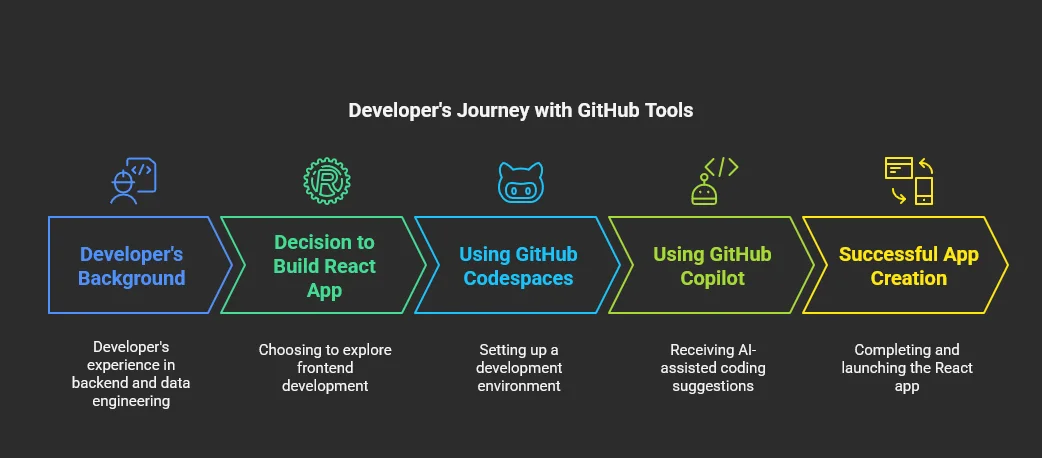
What is “Vibe Coding” and Why It Matters in 2025
“Vibe coding” has emerged as a development approach where programmers leverage AI coding assistants to generate substantial portions of code in unfamiliar domains without fully understanding every line being written. Instead of deep comprehension, developers focus on results and iteration speed, trusting the AI to handle implementation details while they guide the high-level architecture.
For developers, vibe coding presents an opportunity to rapidly explore new technical domains by transferring core programming principles while letting AI fill knowledge gaps. This approach has gained significant traction in 2025 as AI coding assistants have become more capable and integrated.
Codespaces: The Foundation for Effective Vibe Coding
GitHub Codespaces provides the ideal environment for vibe coding by removing the friction of local development setup. For my React app experiment, I configured a Codespace with the following devcontainer.json:
{
  "image": "mcr.microsoft.com/devcontainers/universal:2",
  "waitFor": "onCreateCommand",
  "updateContentCommand": "npm install",
  "postCreateCommand": "npm install -g gh-pages",
  "postAttachCommand": {
    "server": "npm start"
  },
  "customizations": {
    "vscode": {
      "extensions": [
        "github.copilot",
        "github.copilot-chat",
        "github.vscode-github-actions",
        "dbaeumer.vscode-eslint",
        "esbenp.prettier-vscode",
        "dsznajder.es7-react-js-snippets",
        "formulahendry.auto-rename-tag",
        "christian-kohler.path-intellisense",
        "formulahendry.auto-close-tag",
        "naumovs.color-highlight",
        "streetsidesoftware.code-spell-checker",
        "eamodio.gitlens"
      ]
    },
    "codespaces": {
      "openFiles": [
        "src/App.jsx"
      ]
    }
  },
  "portsAttributes": {
    "3000": {
      "label": "Application",
      "onAutoForward": "openPreview"
    }
  },
  "forwardPorts": [3000],
  "features": {
    "ghcr.io/devcontainers/features/node:1": {
      "version": "lts"
    },
    "ghcr.io/devcontainers/features/git:1": {
      "version": "latest"
    }
  }
}
What makes Codespaces particularly valuable for vibe coding:
-
Removing Setup Friction: The automation features like
postAttachCommandwith “npm start” andupdateContentCommandwith “npm install” eliminate manual setup steps, enabling immediate focus on creation rather than configuration. -
Instant Feedback Loop: With “onAutoForward”: “openPreview” on port 3000, the app renders alongside VS Code in a browser preview, providing immediate feedback on AI-generated code.
-
Context Consistency: Setting “openFiles”: [“src/App.jsx”] ensures the main React file opens immediately, creating a consistent starting point for both you and the AI assistant.
-
Pre-configured Environment: The “universal:2” image includes Node.js, Git, and other essentials, eliminating dependency management challenges that could otherwise distract from the core development flow.
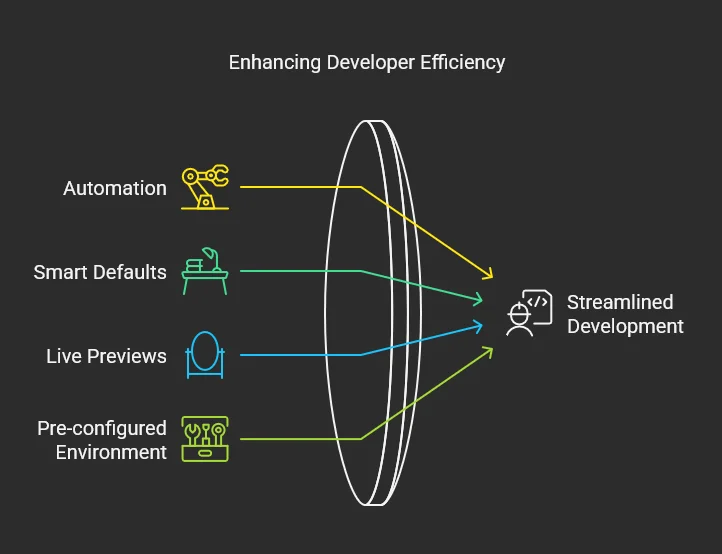
The 2025 update to Codespaces brings faster spin-up times through region-optimized servers, making the vibe coding experience even more efficient. For open-source projects, where local setup can be complicated, this accelerates the exploration of unfamiliar codebases.
You can further accelerate container creation by setting up prebuilt configurations. Navigate to Settings > Codespaces > Prebuild configuration to configure this feature, which significantly reduces spin-up times by preparing your environment in advance.
Copilot: The Engine Behind Effective Vibe Coding
GitHub Copilot, enhanced with Anthropic’s Claude 3.5 Sonnet in 2025, transforms vibe coding from a frustrating guessing game into a productive development methodology. While I’ve experimented with various AI assistants including Claude standalone, Grok 3, and Gemini 2.0, I find Claude through Copilot most effective for coding assistance.
Why I Prefer Copilot’s Edit Mode Over Agent Mode
Despite the growing popularity of Copilot’s agent mode in 2025, which can generate entire features with minimal guidance, I deliberately chose to use Copilot’s traditional editing features for this project. The agent mode represents the ultimate form of “vibe coding,” but I found that the line-by-line suggestions of edit mode better balance efficiency with control for several reasons:
-
Forced Review Process: Edit mode requires me to review each suggestion before accepting it, preventing the introduction of unnecessary complexity or misaligned code.
-
Granular Control: I can accept, modify, or reject individual suggestions, maintaining precise control over the codebase even in unfamiliar territory.
-
Progressive Learning: The step-by-step nature of edit mode facilitates learning the new framework as I build, rather than being presented with complete but potentially overwhelming solutions.
For my development style, this incremental approach strikes the optimal balance between AI assistance and maintaining ownership of the code.
My approach balanced vibe coding with structured development principles:
-
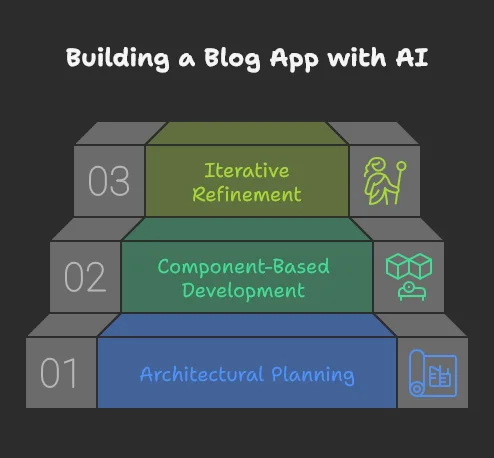
Architectural Planning With Guardrails: I began with high-level architectural questions—“How should I structure a React repo for a blog app?” or “What’s the basic architecture for a single-page app?” This provided a solid foundation of components, routes, and state management approaches while letting me maintain control over the system design.
-
Component-Based Development: Next, I requested initial building blocks—such as headers or post renderers—testing each AI-generated component in Codespaces as I progressed. This allowed me to vibe code individual components while ensuring they fit my overall architecture.
-
Iterative Refinement: Once the basics were functioning, I moved to smaller, more precise adjustments, reviewing each suggestion carefully. When issues arose, I would revert changes, refine my prompts, and try again.
The integration of Copilot into Codespaces creates a particularly efficient vibe coding workflow. I could accept suggestions with a keystroke, immediately see results in the preview, and easily revert unwanted changes with GitLens. While Copilot occasionally overcomplicated solutions, my iterative approach and constant review process kept the project on track.
Compared to using standalone Claude desktop, Copilot’s in-editor experience offers significant advantages. Having edits appear directly in-place and the chat available within the same window creates a more cohesive development experience without context switching.
The latest Copilot updates in 2025—including context-aware suggestions that adapt to individual coding styles and multi-file editing capabilities—have made the vibe coding process considerably smoother.
Where Vibe Coding Shines and Where It Falls Short
Through my experience, I identified clear boundaries where vibe coding excels and where traditional development approaches remain necessary:
Strengths of Vibe Coding:
-
Rapid Prototyping: For quick proofs-of-concept or MVPs, vibe coding dramatically accelerates development in unfamiliar domains.
-
Learning New Frameworks: Vibe coding provides a hands-on approach to learning new frameworks or languages by generating functional code you can study and modify.
-
Breaking Through Analysis Paralysis: When facing complex implementation decisions, vibe coding can provide a starting point to iterate upon.
Limitations of Vibe Coding:
-
Architectural Decisions: AI assistants struggle with long-term architectural planning beyond simple applications. For my React app, I needed to establish clear boundaries and component structures myself.
-
Maintainability Challenges: Code generated through pure vibe coding often lacks proper documentation and can introduce hidden dependencies that become maintenance headaches.
-
Performance Optimization: The generated code prioritizes functionality over performance, sometimes including unnecessary dependencies or inefficient implementations.
The Importance of Context Management in Vibe Coding
One technique I found particularly effective was controlling the context Copilot uses for generating code. While the codebase attribute generally provides sufficient context for smaller projects, I sometimes needed to emphasize specific requirements by pointing to similar or relevant files.
This highlights an important consideration: knowing your codebase remains crucial for effective AI collaboration. Failing to provide proper context can result in poor code quality with repetition and maintenance challenges. The AI is not yet mature enough to be fully independent in understanding the entire architecture without guidance.
My Current Workflow and Architecture
Through this balanced approach to vibe coding, I developed an efficient workflow that now requires minimal intervention for content updates. The project architecture consists of:
project/
├── src/           # React source code
│   ├── components/
│   ├── App.jsx
│   └── ...
└── data/          # Markdown content files
    ├── article1.md
    ├── article2.md
    └── ...
The components are well-defined, allowing me to simply provide markdown files with minimal required structure. These files automatically generate titles, publication dates, and other metadata.
I primarily use Codespaces when writing new articles or adding features. After making changes, I merge the code through pull requests—all within the Codespaces environment. A GitHub Actions pipeline handles publication by updating a dedicated gh-pages branch. This allows me to manage both development and pull requests entirely within the remote VSCode environment without switching contexts.
To automate the GitHub Pages publishing process, I configured Settings > Pages to use the gh-pages branch and set up the following GitHub Action workflow:
name: Deploy to GitHub Pages
on:
  push:
    branches: [ main ]
  pull_request:
    branches: [ main ]
  workflow_dispatch:
jobs:
  build-and-deploy:
    runs-on: ubuntu-latest

    steps:
      - name: Checkout
        uses: actions/checkout@v3
      - name: Setup Node.js
        uses: actions/setup-node@v3
        with:
          node-version: '20'
          cache: 'npm'
      - name: Install dependencies
        run: npm ci
      - name: Build
        run: npm run build
      - name: Deploy
        if: github.ref == 'refs/heads/main'
        uses: JamesIves/github-pages-deploy-action@v4
        with:
          folder: dist
          branch: gh-pages
This workflow automatically builds and deploys changes to the gh-pages branch whenever I push to main, eliminating manual deployment steps.
Balancing Vibe Coding with Software Engineering Principles
While vibe coding with these tools significantly streamlined my development process, the most successful outcomes emerged when I balanced AI assistance with software engineering fundamentals. Throughout my React app development, I established clear boundaries:
-
AI for Implementation, Human for Architecture: I allowed Copilot to generate component implementations but retained control over the overall architecture and data flow.
-
Review Everything: I never blindly accepted generated code, instead reviewing each suggestion for alignment with my design goals and potential issues.
-
Iterative Learning: As I worked through the project, I made an effort to understand the patterns in the generated code, gradually reducing my reliance on “vibes” and increasing comprehension.
The key benefit for experienced developers is the ability to apply core programming principles across domains. Understanding architecture, testing methodologies, and code organization principles allows for more effective guidance of AI tools, even when working in unfamiliar technical territory.
My advice for junior developers is to focus on learning the core programming principles while playing with these AI tools, even if that yields slower developments; it will definitively pay off in the long run.
Power-User Tips for Maximizing Vibe Coding
To get the most out of vibe coding with GitHub tools, consider these practical enhancements:
-
Enable Browser Clipboard Integration: For a seamless experience with Codespaces, enable clipboard features in your browser. In Firefox, navigate to about:config and set
dom.events.testing.asyncClipboardto true and ensuredom.events.asyncClipboard.clipboardItemis also true. This allows for smooth copy-paste operations between your local machine and Codespaces. -
Leverage Semantic Indexing: Ensure your repository is semantically indexed for optimal Copilot performance. If you’re using GitHub Enterprise, this may require specific configuration. For GitHub Pro or standard GitHub repositories, semantic indexing should be enabled by default, enhancing Copilot’s context-awareness.
-
Create Clarity Through Comments: When vibe coding, I found that writing clear comments before letting Copilot generate code significantly improved results. This provided necessary context for the AI while forcing me to clarify my own intentions.
-
Maintain a Testing Mindset: Even when vibe coding, implementing tests helps ensure the generated code meets requirements and provides a safety net for refactoring.
Conclusion: The Future of Vibe Coding
From zero frontend experience to a functional blog in a day, my journey demonstrates how developers can leverage vibe coding to efficiently explore new technical domains. However, the most successful outcomes emerge when vibe coding complements—rather than replaces—software engineering principles.
As AI coding assistants continue to evolve throughout 2025, I expect the balance point between vibe coding and traditional development to shift, with AI handling increasingly complex tasks. The choice between agent mode’s complete solution generation and edit mode’s line-by-line assistance will remain a crucial decision point for developers. For my projects, I continue to prefer the deliberate, controlled pace of edit mode over the “full vibe” approach of agent mode, though both have their place depending on project requirements.
For those experimenting with vibe coding, I recommend approaching it as a powerful tool within your development toolkit rather than a complete methodology. Use it to accelerate learning and prototyping, but be cautious with vibe coding if your application is intended to grow beyond the proof-of-concept stage. The AI landscape is moving rapidly, but the fundamental need for software engineering principles remains constant.
What unfamiliar territory will you explore next with a balanced approach to vibe coding?
