
Configurable LSP
Building a Scala 3 LSP Server - Part 9: Making the LSP Server Configurable
Welcome to the ninth part of this LSP series. So far, we’ve built a sophisticated Language Server Protocol implementation for HOCON configuration files used in Smart Data Lake Builder. We’ve implemented code completion, hovering capabilities, AI-enhanced suggestions, and multi-file context awareness. Now it’s time to make our LSP server truly flexible by allowing users to configure it according to their specific needs.
In this article, we’ll implement configuration capabilities that enable users to select their preferred workspace strategy and customize the AI prompts used for code completion. By leveraging the same HOCON format for our own configuration, we’ll even provide code completion for the configuration file itself—eating our own dogfood, as they say!
📦 View the source code on GitHub – Explore the complete implementation. Leave a star if you like it!
The Need for Runtime Configuration
So far, we implemented 4 strategies to manage workspaces but we’re hardcoding the choice at compilation time, which doesn’t make it very useful. Also, I promised to make the tabstop prompt configurable in part 6. So we have remaining work to do!
First, we’ll define in our resources a default config, default-config.conf:
workspaceType = ActiveWorkspace
workspaceParameters = "environments/local.conf,conf/"

#workspaceType = RootWorkspace
#workspaceParameters = "conf"

#workspaceType = SingleWorkspace

#workspaceType = NoWorkspace

tabStopsPrompt = """You're helping a user with code completion in an IDE.
The user's current file is about a Smart Data Lake Builder configuration, where the "dataObjects" block provides all the data sources
and the "actions" block usually defines a transformation from one or more data sources to another.
Extract a list of suggested tab stops default values.
Tab stops have the following format in the default insert text: ${number:default_value}.
Use the context text to suggest better default values.
Concerning the title of the object, try to infer the intention of the user.
For example, copying from the web to a json could be interpreted as a download action.
Output should be valid JSON with this schema:
[
  {
    "tab_stop_number": number,
    "new_value": string
  }
]

Default insert text:
$insertText

Suggested item is to be inserted in the following HOCON path:
$parentPath

Context text, HOCON format, the user's current file:
$contextText"""
With other workspace possibilities commented out, so we give visibility to the user concerning their possible choices.
This default config has two main purposes:

Configuring the AI Prompt
Now let’s tackle the customization of the prompt first. In AppModule:
trait AppModule:
  // ... As Before ...
  lazy val configurator: Configurator = new Configurator(aiCompletionEngine)
  lazy val languageServer: LanguageServer & LanguageClientAware = new SmartDataLakeLanguageServer(textDocumentService, workspaceService, configurator)

class Configurator(aiCompletionEngine: AICompletionEngineImpl):
  def configureApp(lspConfig: SDLBContext): Unit =
    aiCompletionEngine.tabStopsPrompt = Try(lspConfig.rootConfig.getString("tabStopsPrompt")).toOption
Here we made a design choice where we delegate the knowledge of how to configure the app to a class Configurator. For now it only configures the tabstop prompt but it can be easily extended to other configurations later. The only component aware of this configurator is our SmartDataLakeLanguageServer, but it doesn’t need to know which components the configurator is aware of, keeping our code as loosely coupled as possible.
Then, in our SmartDataLakeLanguageServer:
private def initializeWorkspaces(initializeParams: InitializeParams): Unit =
  val rootUri = Option(initializeParams).flatMap(_.getWorkspaceFolders
    .toScala
    .headOption
    .map(_.getUri))
    .getOrElse("")
  val lspConfig = textDocumentService.initializeWorkspaces(rootUri)
  configurator.configureApp(lspConfig)
The main change here is to ask our textDocumentService to return the parsed config and use it in our configurator object.
Configuring Workspace Strategies
Now let’s tackle the user-defined workspace instantiation.
Our WorkspaceContext, the one defining the method initializeWorkspaces, needs however further refactoring:
trait WorkspaceContext extends SDLBLogger:

    private val CONFIG_FILE_NAME = ".sdlb/lsp-config.conf"

    private var uriToWorkspace: Map[String, Workspace] = Map.empty
    private var lspConfig = SDLBContext.EMPTY_CONTEXT
    private var workspaceStrategy: WorkspaceStrategy = SingleWorkspace()

    def getContext(uri: String): SDLBContext =
        if isLSPConfigUri(uri) then
            SDLBContext.EMPTY_CONTEXT
        else
            uriToWorkspace(uri).contexts(uri)

    def insert(uri: String, text: String): Unit =
        if isLSPConfigUri(uri) then
            info(s"Inserting LSP config from $uri")
            lspConfig = SDLBContext.fromText(uri, text, Map.empty)
        else
            trace(s"Insertion: Checking context for $uri")
            if !uriToWorkspace.contains(uri) then
                val workspace = workspaceStrategy
                    .retrieve(uri, uriToWorkspace.values.toList)
                    .updateContent(uri, text)
                trace(s"New context detected: $workspace")
                uriToWorkspace = uriToWorkspace.updated(uri, workspace)
            else
                debug(s"Existing workspace ${uriToWorkspace(uri).name} for $uri")


    def update(uri: String, contentChanges: String): Unit =
        if isLSPConfigUri(uri) then
            info(s"Updating LSP config from $uri")
            lspConfig = lspConfig.withText(contentChanges)
        else
            trace(s"Updating context for $uri")
            val workspace = uriToWorkspace(uri)
            uriToWorkspace = uriToWorkspace.updated(uri, workspace.updateContent(uri, contentChanges))

    def updateWorkspace(uri: String): Unit =
        if !isLSPConfigUri(uri) then
            require(uriToWorkspace.contains(uri), s"URI $uri not found in workspaces")
            val workspace = uriToWorkspace(uri)
            val updatedWorkspace = workspace.withAllContentsUpdated
            uriToWorkspace = uriToWorkspace.map { case (uri, ws) => ws match
                case v if v.name == workspace.name => uri -> updatedWorkspace
                case v => uri -> v
            }


    def initializeWorkspaces(rootUri: String): SDLBContext =
        val rootPath = path(rootUri)

        if Files.exists(rootPath) && Files.isDirectory(rootPath) then
            val configFiles = Files.walk(rootPath)
                .filter(path => Files.isRegularFile(path) && path.toString.endsWith(".conf"))
                .toScala

            val (lspConfigContent, contents) = configFiles.map { file => normalizeURI(rootUri, file.toUri().toString()) ->
                Try {
                    val text = Files.readString(file)
                    if SDLBContext.isConfigValid(text) then
                        text
                    else
                        warn(s"Invalid config file: ${file.toUri().toString()}")
                        ""
                }.getOrElse("")
            }.toMap.partition((uri, _) => isLSPConfigUri(uri))

            lspConfig = loadLSPConfig(rootUri, lspConfigContent.headOption)

            val workspaceType = Try(lspConfig.rootConfig.getString("workspaceType"))
                .getOrElse("SingleWorkspace")
            val workspaceParameters = Try(lspConfig.rootConfig.getString("workspaceParameters"))
                .getOrElse("")

            workspaceStrategy = WorkspaceStrategy(rootUri, workspaceType, workspaceParameters)
            info(s"Using workspace strategy: $workspaceType with parameters: $workspaceParameters")

            info(s"loaded ${contents.size} config files from $rootUri")
            uriToWorkspace = workspaceStrategy.buildWorkspaceMap(rootUri, contents)
            debug(s"Initialized workspaces: ${uriToWorkspace.map((key, v) => key.toString + " -> " + v.contexts.size).mkString("\n", "\n", "")}")
        lspConfig

    def isUriDeleted(uri: String): Boolean = !Files.exists(path(uri))


    def isLSPConfigUri(uri: String): Boolean = uri.endsWith(CONFIG_FILE_NAME)

    def defaultLSPConfigText: Option[String] =
        val defaultConfig = Option(getClass.getClassLoader.getResource("lsp-config/default-config.conf"))
        defaultConfig.map(dc => Using.resource(dc.openStream()) { inputStream => scala.io.Source.fromInputStream(inputStream).getLines().mkString("\n").trim })

    private def loadLSPConfig(rootUri: String, lspConfigContent: Option[(String, String)]): SDLBContext = lspConfigContent match
        case Some((uri, text)) =>
            info(s"Loading LSP config from $uri")
            SDLBContext.fromText(uri, text, Map.empty)
        case None =>
            // default case: read default config
            defaultLSPConfigText match
                case Some(lspConfigText) =>
                    info(s"Loading default LSP config")
                    SDLBContext.fromText(
                        normalizeURI(rootUri, CONFIG_FILE_NAME),
                        lspConfigText,
                        Map.empty)
                case None =>
                    warn(s"No valid LSP config found")
                    SDLBContext.EMPTY_CONTEXT
Key changes are:

Bootstrapping Configuration with Code Completion
So far so good. The user is finally able to customize the LSP behavior as they want. But they need to read the README of the LSP project carefully to understand what their choices are and ensure they don’t make any typos in their user-defined configuration file. What kind of tools or techniques could we leverage here to ease the user’s experience? Any ideas? What about… a code completion feature? Like the very main goal of this project?
This is not by complete hazard if we decided to use a HOCON-style for the configuration definition! It is still a much user-friendly language than JSON but more importantly we already built a HOCON parser and we will naturally match all watched *.conf files, so we can leverage our TextDocumentService to implement code completion for this config file too.
However, for now it may be overkill to implement a new JSON schema for that purpose. So we will stay pragmatic here: we’ll only suggest the whole default config file as a template if the user is writing into an empty LSP config file. In SmartDataLakeTextDocumentService:
override def completion(params: CompletionParams): CompletableFuture[messages.Either[util.List[CompletionItem], CompletionList]] = Future {
  val uri = params.getTextDocument.getUri
  if isLSPConfigUri(uri) then
    Left(generateLSPConfigCompletions(params.getPosition.getLine).toJava).toJava
  else
    val context = getContext(uri)
    // ... As Before ...

    Left(completionItems.toJava).toJava
}.toJava

private def generateLSPConfigCompletions(line: Int): List[CompletionItem] =
  if line == 0 then
    val text = defaultLSPConfigText.getOrElse("")
    val completionItem = new CompletionItem()
    completionItem.setLabel("Default Template")
    completionItem.setDetail("Default Template")
    completionItem.setInsertText(text)
    completionItem.setKind(CompletionItemKind.Snippet)
    List(completionItem)
  else
    List.empty[CompletionItem]
Where isLspConfigUri and defaultLSPConfigText were already defined in our WorkspaceContext component.
Wrapping Up the Configuration Implementation
With these changes, our LSP server is now highly configurable. Users can:

The configuration system is also designed to be extensible. By using the Configurator class, we can easily add new configuration options in the future without modifying multiple components. This adheres to the Open-Closed Principle: our code is open for extension but closed for modification.
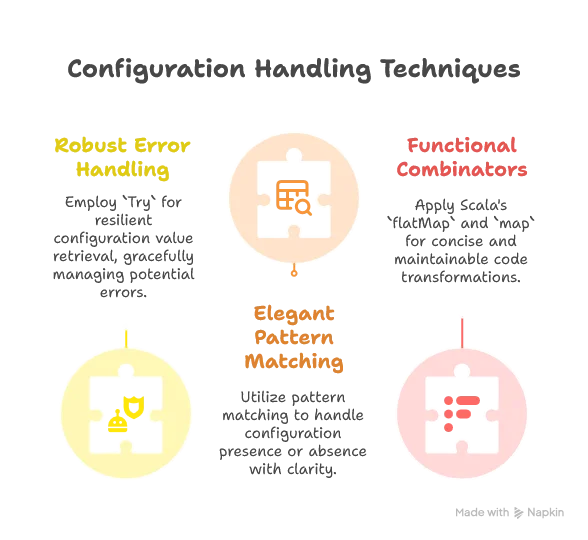
Additionally, our approach to configuration demonstrates several Scala 3 strengths:
Conclusion: The LSP Journey So Far
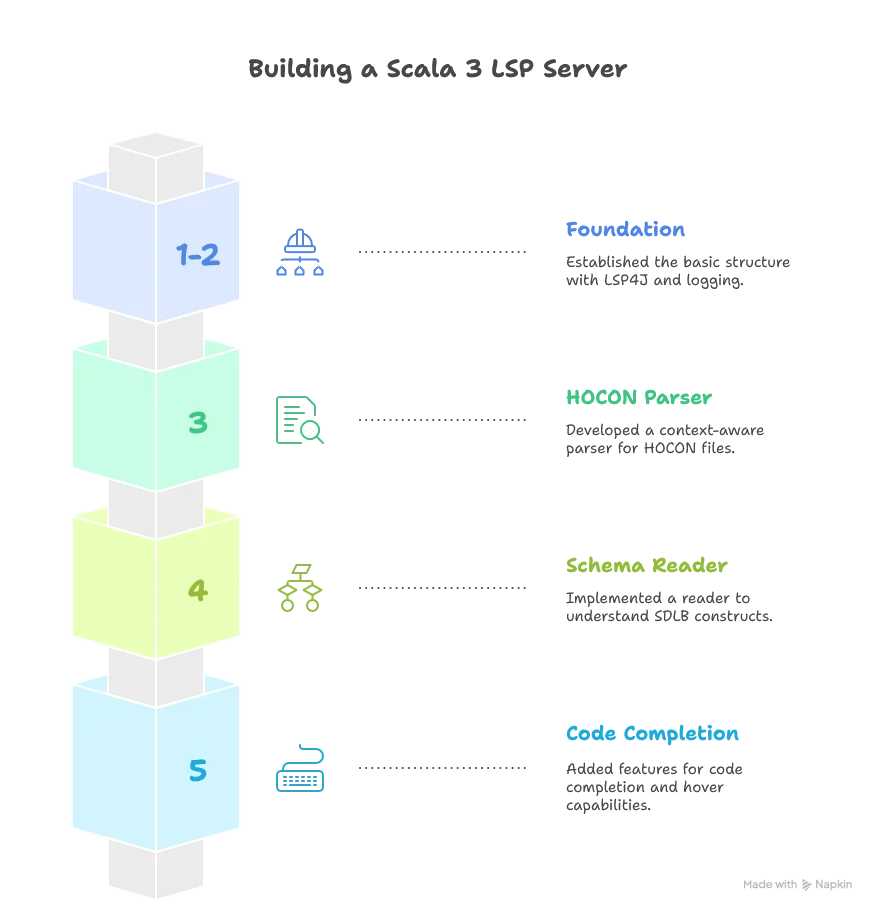
We’ve come a long way in this series, building a sophisticated Language Server Protocol implementation from scratch. Let’s take a moment to reflect on what we’ve accomplished:
Core LSP Functionality
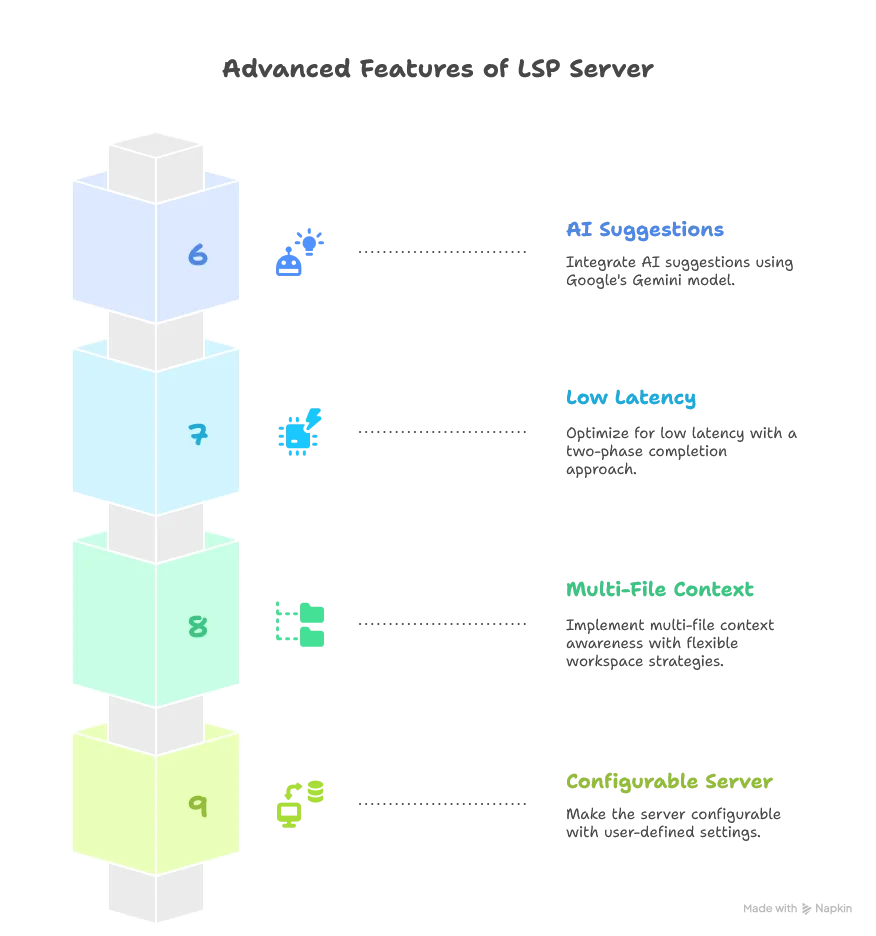
Advanced Features
Throughout this journey, we’ve leveraged many powerful Scala 3 features:

- Union types to simplify interfaces like
AttributeCollection | TemplateCollection - Extension methods for cleaner code
- Export clauses to safely expose nested properties
- Intersection types like
TextDocumentService & WorkspaceContext - Given instances for cleaner dependency injection
- Enums for type-safe alternatives
- New indentation syntax for more readable code
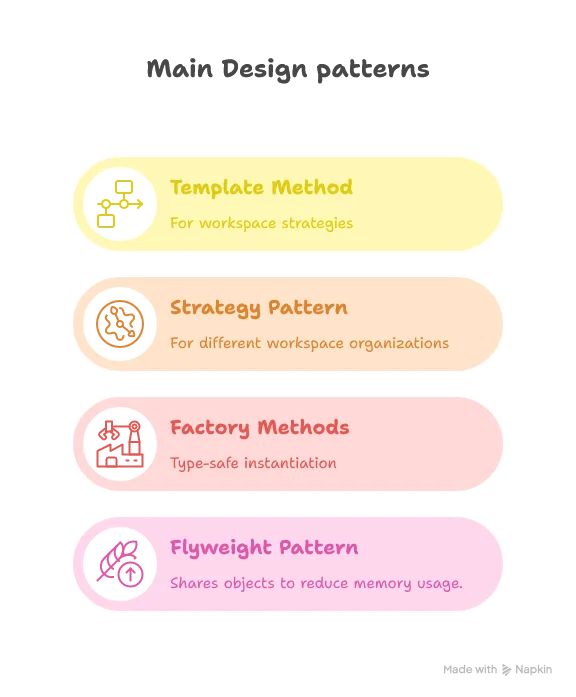
We’ve also applied solid design patterns:
Our LSP server now provides a rich development experience for SDLB users:

What’s Next?
In the next article, we’ll shift our focus to the client side. We’ll explore how to build an extension for Visual Studio Code that connects to our LSP server, allowing users to actually experience all these features we’ve built. We’ll look at:
- Setting up a VS Code extension project
- Connecting to our LSP server
- Configuring client-side settings
- Managing the extension lifecycle
- Adding user interface enhancements
Stay tuned for “Building a Scala 3 LSP Server - Part 10: Creating a VS Code Extension for Our LSP Server”!
