
Schema Reader
Welcome to the fourth part of this LSP series. After presenting the general architecture of the LSP server in Part 1, building up the core components along with the logging management system in Part 2, and designing a wrapper around the HOCON parser in Part 3, we’ll now dive deeper into implementing a SchemaReader. This component takes a JSON Schema and provides a list of valid object definitions given a context path.
📦 View the source code on GitHub – Explore the complete implementation. Leave a star if you like it!
Understanding the Smart Data Lake Builder Schema
To start, we need first to understand the definition of our language, Smart Data Lake Builder.
Luckily, the SDLB team already implemented a JSON Schema definition of the language.
It looks like this:
{
  "type": "object",
  "$schema": "http://json-schema.org/draft-07/schema#",
  "version": "2.5.0",
  "id": "sdl-schema-2.5.0.json#",
  "definitions": {
    "ExecutionMode": {
      "CustomMode": {
        "type": "object",
        "properties": {
          "type": {
            "const": "CustomMode"
          },
          "className": {
            "type": "string",
            "description": "class name implementing trait[[CustomModeLogic]]"
          },
          "alternativeOutputId": {
            "type": "string",
            "description": "optional alternative outputId of DataObject later in the DAG. This replaces the mainOutputId.\nIt can be used to ensure processing over multiple actions in case of errors."
          },
          "options": {
            "type": "object",
            "additionalProperties": {
              "type": "string"
            },
            "description": "Options specified in the configuration for this execution mode"
          }
        },
        "title": "CustomMode",
        "required": [
          "type",
          "className"
        ],
        "additionalProperties": false,
        "description": "Execution mode to create custom execution mode logic.\nDefine a function which receives main input&output DataObject and returns execution mode result"
      },
      "CustomPartitionMode": {
        "type": "object",
        "properties": {
          "type": {
            "const": "CustomPartitionMode"
          },
          "className": {
            "type": "string",
            "description": "class name implementing trait[[CustomPartitionModeLogic]]"
          },
          "alternativeOutputId": {
            "type": "string",
            "description": "optional alternative outputId of DataObject later in the DAG. This replaces the mainOutputId.\nIt can be used to ensure processing all partitions over multiple actions in case of errors."
          },
          "options": {
            "type": "object",
            "additionalProperties": {
              "type": "string"
            },
            "description": "Options specified in the configuration for this execution mode"
          }
        },
        "title": "CustomPartitionMode",
        "required": [
          "type",
          "className"
        ],
        "additionalProperties": false,
        "description": "Execution mode to create custom partition execution mode logic.\n\nDefine a function which receives main input&output DataObject and returns partition values to process as`Seq[Map[String,String]]`"
      },
      (...)
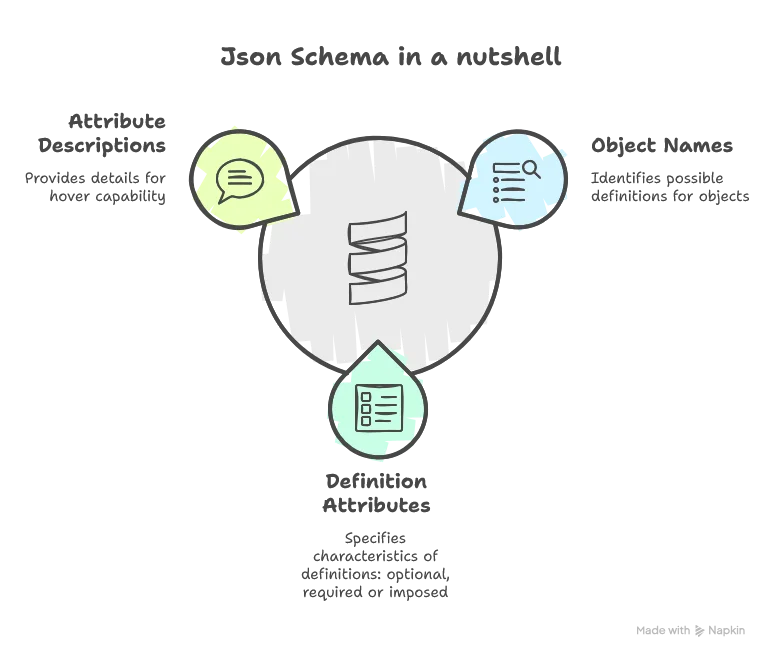
There are three main interesting things to note here:
Choosing the Right JSON Library
The second step is to look for JSON-parsing libraries. My choice went to ujson from Lihaoyi, because of its simplicity and lightweight implementation, making it very flexible and performant. Let’s add it to our Maven build:
<properties>
    <maven.compiler.source>21</maven.compiler.source>
    <maven.compiler.target>21</maven.compiler.target>
    <encoding>UTF-8</encoding>
    <scala.version>3.3.4</scala.version>
    <lsp4j.version>0.21.0</lsp4j.version>
    <typesafe.config.version>1.4.3</typesafe.config.version>
    <ujson.version>3.1.2</ujson.version> <!-- Add this line -->
    <logback.version>1.4.12</logback.version>
  </properties>

(...)

<!-- Add this block dependency -->
<dependency>
  <groupId>com.lihaoyi</groupId>
  <artifactId>ujson_3</artifactId>
  <version>${ujson.version}</version>
</dependency>
Implementing the Schema Reader
Now let’s start implementing our Schema Reader. First, we need to realize that definitions in the JSON Schema are defined in a modular way to avoid repetition. For example, ExecutionMode can be found in the transformers of CopyAction but also in the transformers of CustomDataFrameAction. This means that we need both:
- A pointer to the local schema (the one following the HOCON path, e.g.,
actions.join-departures-airports.transformers.1.description) - A pointer to the global schema (the root of the JSON Schema), to look for definitions from the start if needed
Let’s define a case class representing both pointers:
private[schema] case class SchemaContext(private val globalSchema: Value, localSchema: Value)Then we can define a global schema context the following way:
class SchemaReaderImpl(val schemaPath: String) extends SchemaReader with SDLBLogger:

  private val schema = ujson.read(Using.resource(getClass.getClassLoader.getResourceAsStream(schemaPath)) { inputStream =>
    Source.fromInputStream(inputStream).getLines().mkString("\n").trim
  })


  private[schema] def createGlobalSchemaContext: SchemaContext = SchemaContext(schema, schema)
Here we define the createGlobalSchemaContext private to its package level. That becomes handy when we need to reuse it for our tests. Also, we start the search with both pointers at the global schema level.
Defining Data Models for Schema Items
Let’s remember that our goal is to:
- Retrieve possible items given the HOCON context path (for code completion)
- Retrieve the description of each item (for hovering)
Let’s start by defining the base case classes our service will return:
enum ItemType(val name: String, val defaultValue: String):
  // $0 represents the position of the cursor in the snippet
  case STRING extends ItemType("string", "\"$0\"")
  case BOOLEAN extends ItemType("boolean", "true$0")
  case INTEGER extends ItemType("integer", "0$0")
  case OBJECT extends ItemType("object", "{$0}")
  case ARRAY extends ItemType("array", "[$0]")
  case TYPE_VALUE extends ItemType("type", "$0")

  def isPrimitiveValue: Boolean = this == ItemType.STRING || this == ItemType.BOOLEAN || this == ItemType.INTEGER

  def isComplexValue: Boolean = this == ItemType.OBJECT || this == ItemType.ARRAY

object ItemType extends SDLBLogger:
  private val logger = LoggerFactory.getLogger(getClass)
  def fromName(name: String): ItemType = name match
    case "string" => ItemType.STRING
    case "boolean" => ItemType.BOOLEAN
    case "integer" => ItemType.INTEGER
    case "object" => ItemType.OBJECT
    case "array" => ItemType.ARRAY
    case _ =>
      warn(s"Attempt to translate unknown type: $name")
      ItemType.STRING
An item type is defined by the name of the type and a default value that will both be useful for our code completion capability. Notice the $0, a special syntax defined in the LSP protocol to suggest where the client should position the caret after code completion insertion. We also defined a companion object for the enum to map the string representation of a type to its ItemType, which will be useful when parsing the JSON schema.
Now, let’s define the schema item properties:
case class SchemaItem(name: String, itemType: ItemType, description: String, required: Boolean)We can see that what interests us are:
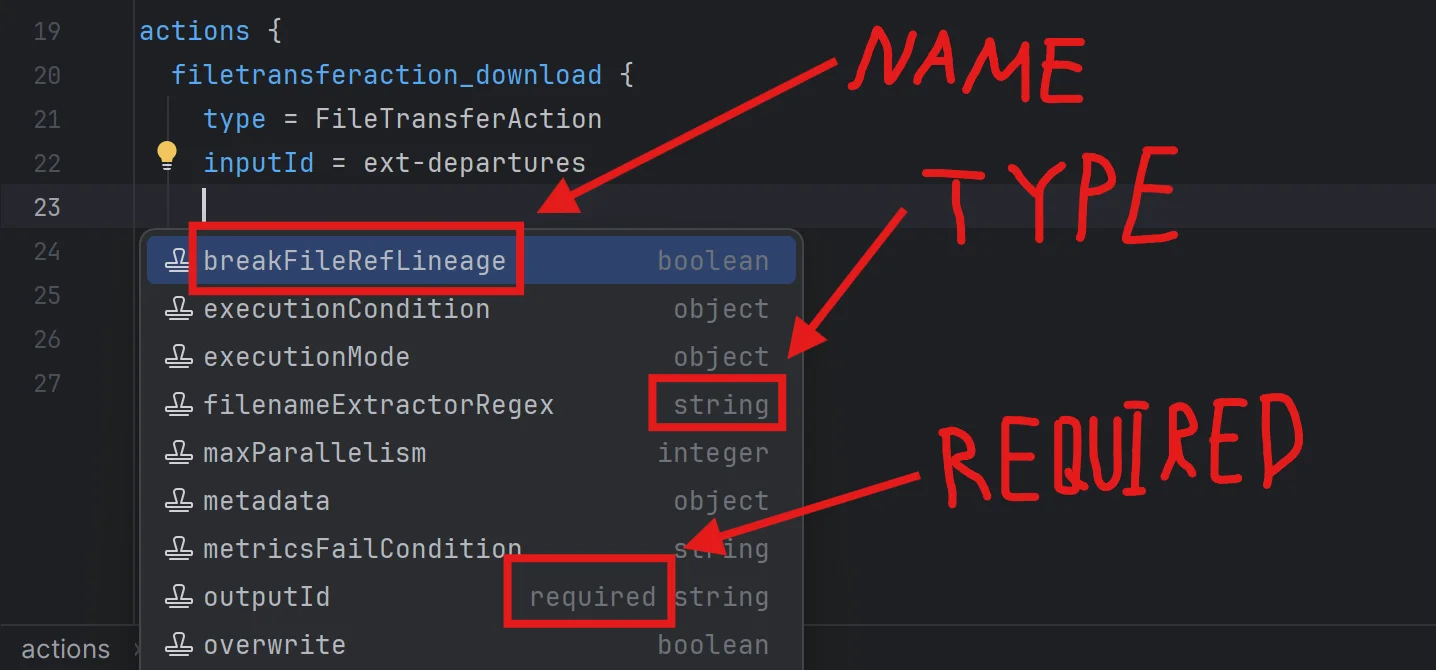
name: The name of the item, used as the label of the completion item visible to the user. Also lets us build custom code around special SDLB values likeactionsordataObjectsitemType: The type of the item, as defined abovedescription: The description of the item, useful for hovering capabilitiesrequired: A boolean indicating whether the item is required (could be an object likeactionsor a specific attribute of any object)
Generating Rich Templates
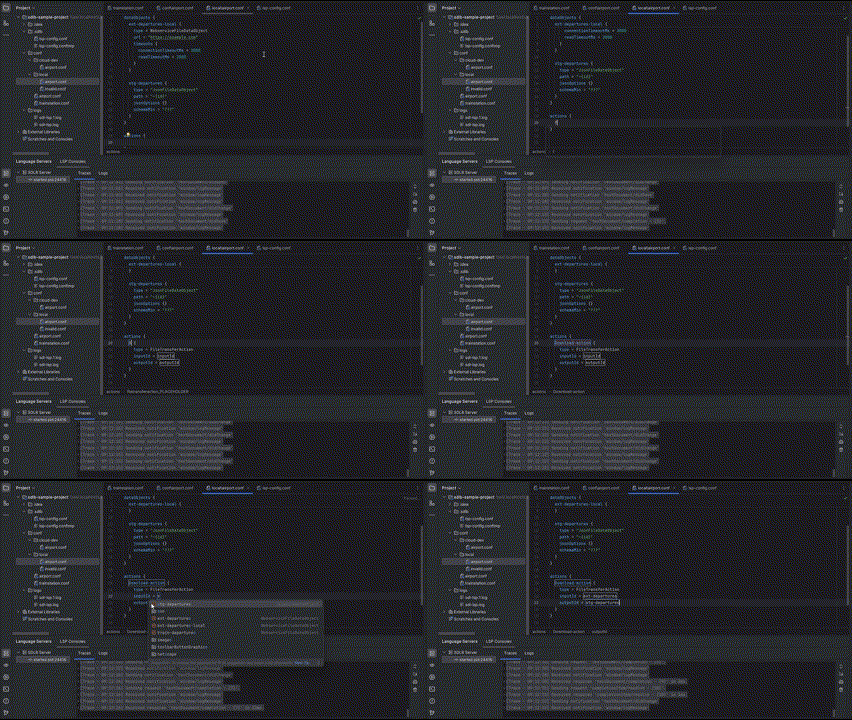
For our LSP to be truly powerful, we don’t just want to generate attribute suggestions. We can also leverage the fact that if a user starts writing the name of a specific action, we could generate the whole object definition with required attributes, as shown below:
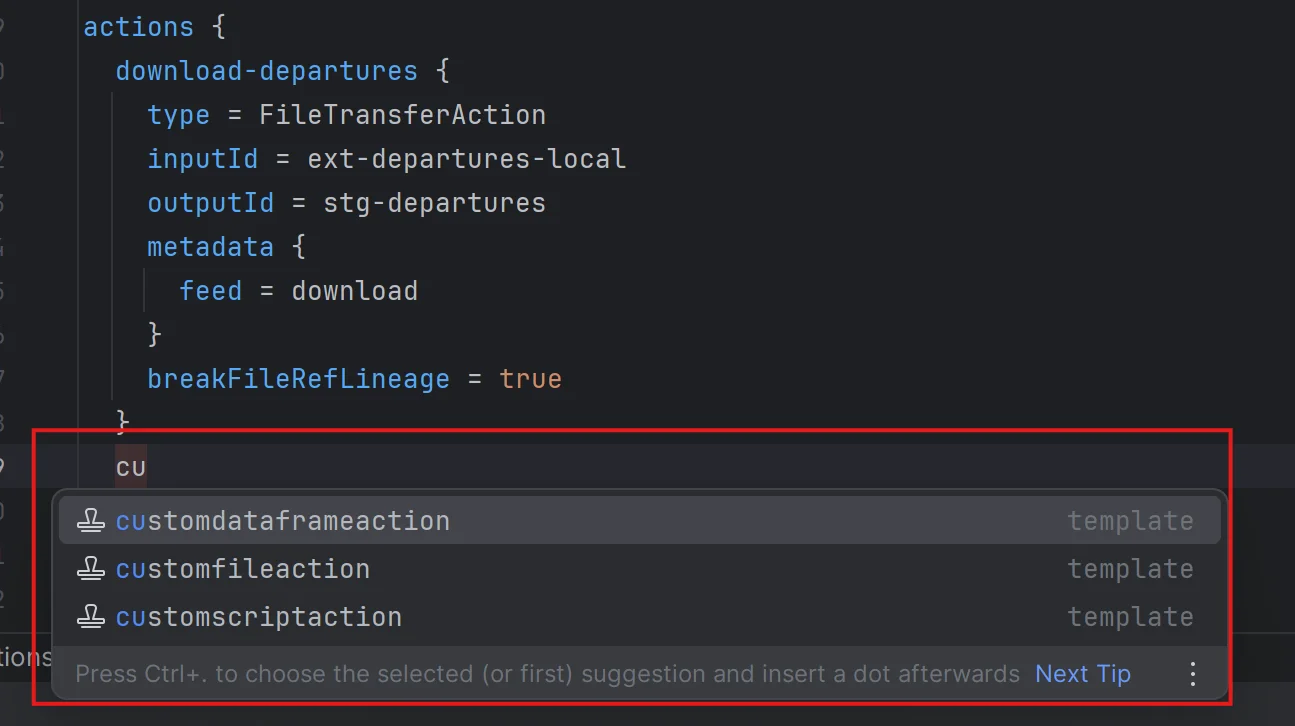
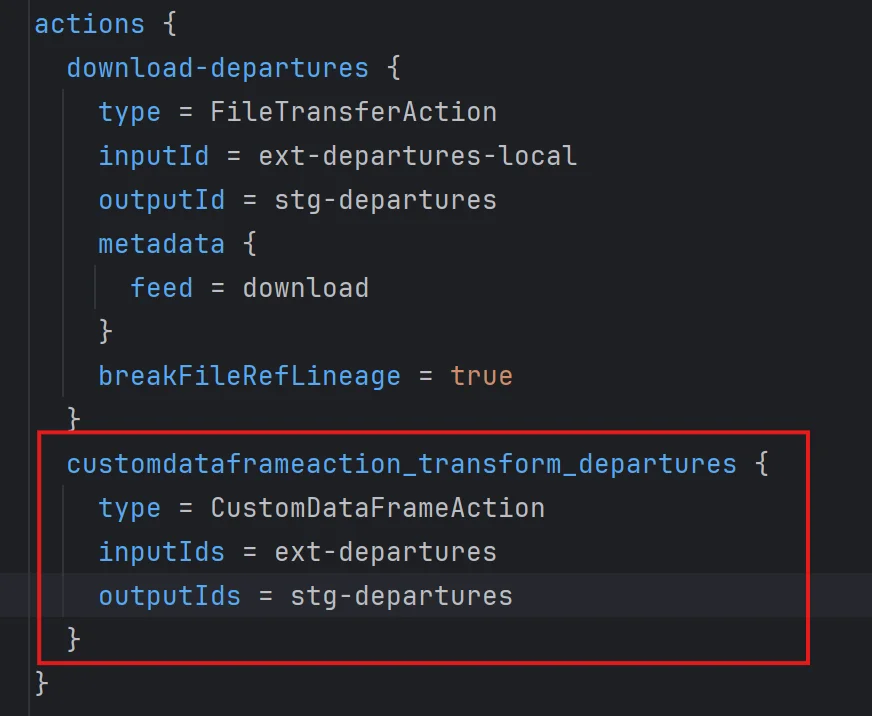
Here we actually used AI-enhanced code completion to give meaningful default values, but we’ll cover that in a later post. What matters here is that we can leverage required fields to suggest much more powerful text than just the name CustomDataframeAction.
To generate such item suggestions, we need one more important piece of information:
enum TemplateType:
  case
    OBJECT, // Object is recognized, attributes are suggested
    ARRAY_ELEMENT, // Array is recognized, elements are suggested (can be string, object, etc.)
    ATTRIBUTES // Anonymous object, possible object definitions are suggested. See "executionMode" of "CustomDataFrameAction" for example
There are three types of templates we can generate with SDLB:
1. OBJECT (most common case)
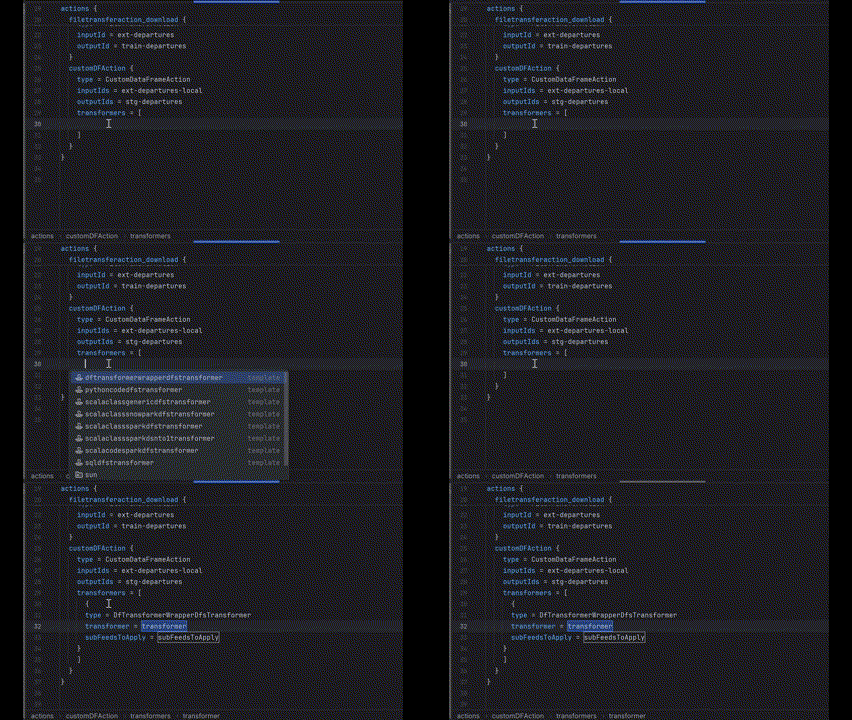
2. ARRAY_ELEMENT (like a specific transformer in a transformers list)
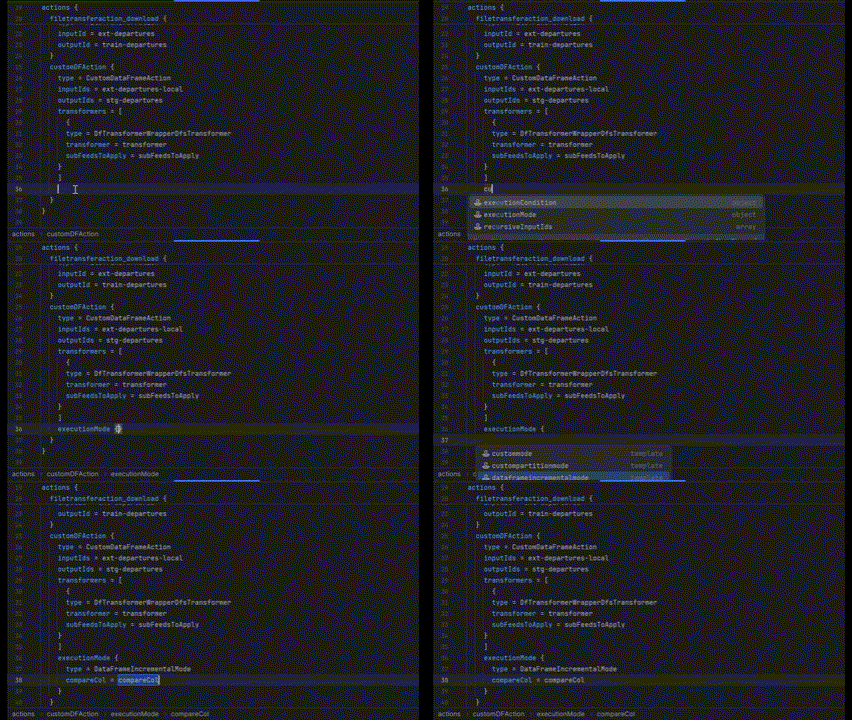
3. ATTRIBUTES (more complex case)
This one is more tricky. As we saw in previous posts, objects in a list like in transformers behave as anonymous objects, because an array is a list of values directly, without any reference to a key. We could say their key is the index of the object, as we chose to encode in our HOCON context path.
But there’s another type of anonymous object, such as executionMode of CustomDataFrameAction. In this case, executionMode acts as the key itself, but the definition could be a list of different objects, each having their own set of attributes. So what we can do is generate this list given the type of object executionMode will take.
Finalizing Our Data Model
We can wrap up our data definition with these last case classes:
object SchemaCollections:
  case class AttributeCollection(attributes: Iterable[SchemaItem])
  case class TemplateCollection(templates: Iterable[(String, Iterable[SchemaItem])], templateType: TemplateType)
Notice that we deliberately chose not to define a common trait for both objects. This allows us to define our SchemaReader in a cleaner way:
trait SchemaReader:
  def retrieveAttributeOrTemplateCollection(context: SDLBContext): AttributeCollection | TemplateCollection
  def retrieveDescription(context: SDLBContext): String
Here we leverage the Union type in Scala 3 for the code completion feature. Why? Because we’ll only know the nature of the completion once we’ve found it. So it would be difficult to suggest a method to the user of this class and have them call the right method in a two-phase procedure as we might usually do.
We could define a common trait for both parts, but since we only have two choices, avoiding this abstraction layer actually makes it clearer how to handle the return object when calling retrieveAttributeOrTemplateCollection. The Union type forces the user to use pattern matching to handle both cases, and implementation-wise, we only run the schema search once.
The Core Algorithm
The remaining code is quite complex and filled with many pattern matching operations, so here we’ll only discuss the general idea. Curious readers can explore the final implementation here:
At a high level, the general algorithm does the following:
override def retrieveAttributeOrTemplateCollection(context: SDLBContext): AttributeCollection | TemplateCollection = context.parentPath.lastOption match
    case Some("type") =>
      val schemaContext = retrieveSchemaContextForTypeAttribute(context)
      schemaContext.generateSchemaSuggestionsForAttributeType
    case _ => retrieveSchemaContext(context, withWordInPath = false) match
      case None => AttributeCollection(Iterable.empty)
      case Some(schemaContext) => schemaContext.generateSchemaSuggestions
Here’s what’s happening:
-
We perform pattern matching on the direct parent of the caret position
- If it’s
type, we callretrieveSchemaContextForTypeAttributewhich needs special handling and always returns anAttributeCollection - For all other cases, we do a nested pattern matching on the result of
retrieveSchemaContext
- If it’s
-
When calling
retrieveSchemaContext, we specify that we don’t want to take into account the current word at the caret position (withWordInPath = false). If we were retrieving the definition for hovering capability, we would passtrueto include the current word -
retrieveSchemaContextis the general algorithm that traverses the JSON schema by managing the two references we mentioned earlier: aglobalcontext and alocalcontext -
generateSchemaSuggestionsassumes thelocalpointer is correctly set up and parses all valid suggestions at the given position. It may return either anAttributeCollectionor aTemplateCollection
Conclusion
In this article, we’ve built a powerful Schema Reader that can:
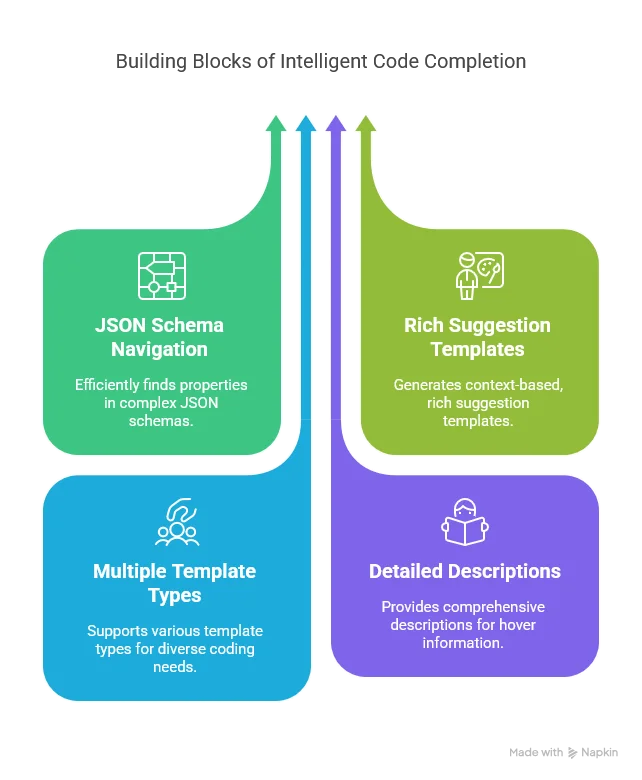
This Schema Reader is the foundation for intelligent code completion in our LSP server. By combining it with the context-aware HOCON parser we developed in Part 3, we now have a powerful system that understands both:
- Where the user is in the configuration file (from the HOCON parser)
- What valid options exist at that position (from the Schema Reader)
In the next article, we’ll bring everything together by implementing the completion and hover capabilities of the LSP server. We’ll see how to transform the schema information into LSP completion items, how to format them for different LSP clients (VS Code vs. IntelliJ), and how to implement hover documentation. We’ll also start exploring how AI can be used to enhance these suggestions.
Stay tuned for “Implementing Code Completion and Hover Capabilities”!
