Integrating AI
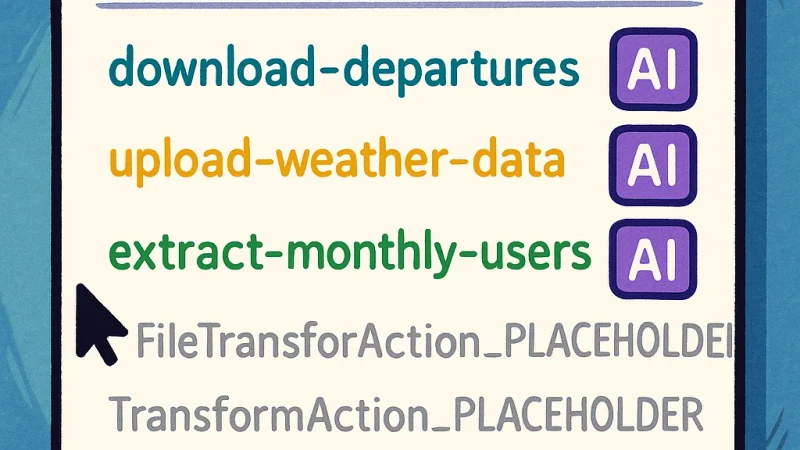
Welcome to the sixth part of this LSP series. This is perhaps the most exciting installment as we explore how to enhance our LSP server with AI capabilities. After covering the foundational aspects in previous parts, we’re now ready to integrate AI to provide even more intelligent suggestions in our code completion.
Previously in Our LSP Journey
For readers joining us in this part, here’s a quick recap of our journey so far:
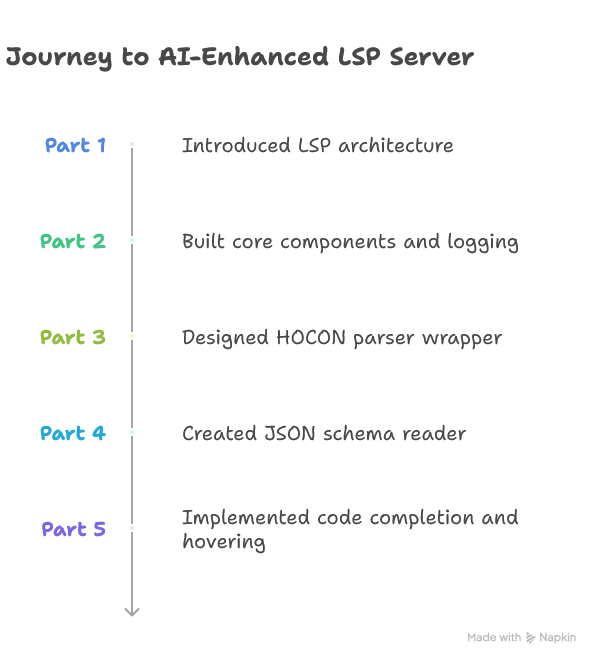
Now in Part 6, we’ll focus on integrating AI to enhance our code completion features, while Part 7 will tackle optimizing performance to meet low-latency requirements.
📦 View the source code on GitHub – Explore the complete implementation. Leave a star if you like it!
Understanding the AI Integration Challenge
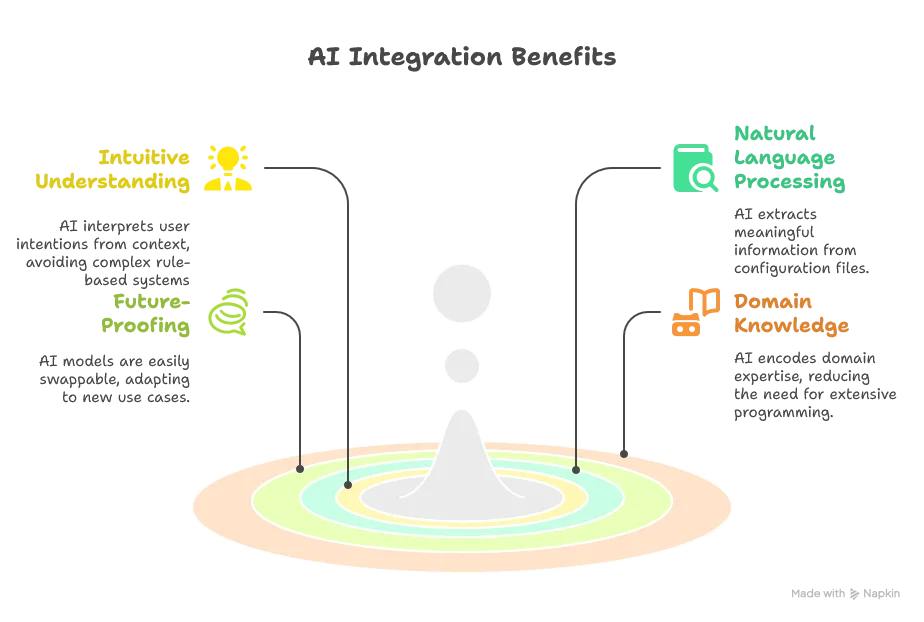
Before diving into the technicalities of implementation, it’s important to understand the pros and cons of integrating generative AI capabilities into our LSP server.
Advantages of AI Integration
Challenges to Address
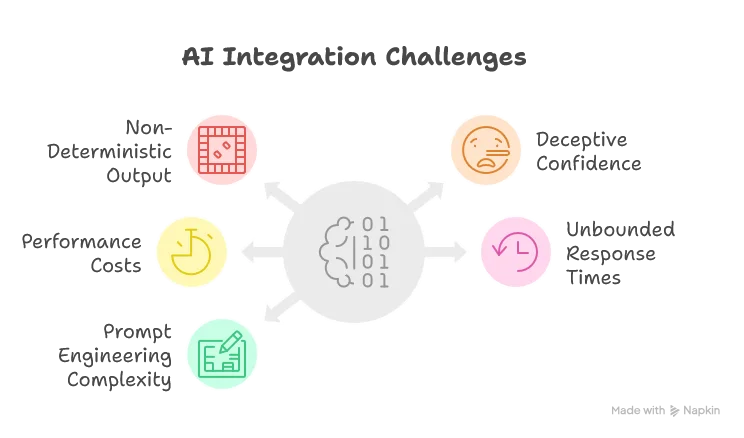
- Non-Deterministic Output: The inherent randomness makes testing difficult and can occasionally produce incorrect syntax
- Deceptive Confidence: AI can provide convincing but incorrect suggestions, potentially introducing subtle bugs
- Performance Costs: Even the fastest models introduce latency compared to rule-based systems
- Unbounded Response Times: Remote API calls can have unpredictable response times
- Prompt Engineering Complexity: Creating effective prompts requires significant refinement and domain knowledge
Mitigation Strategies
To address these challenges, we’ll implement several strategies:
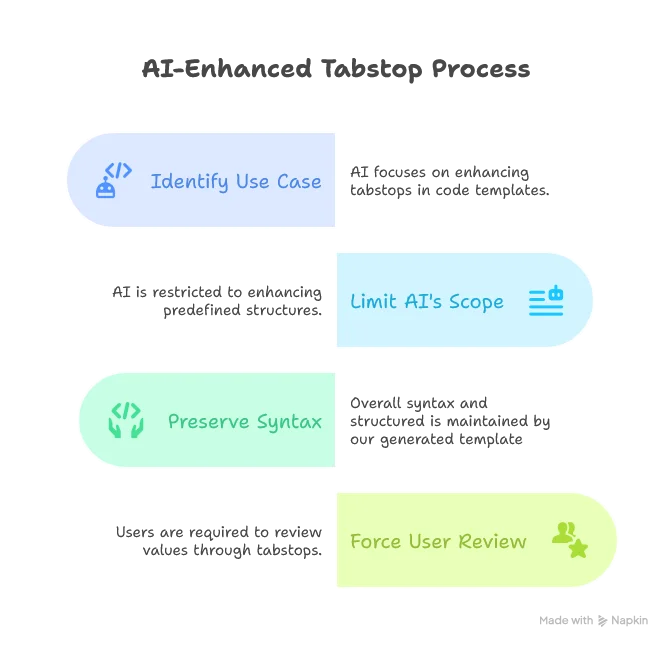
1. Limiting AI’s Scope of Action
We’ll focus AI on a controlled use case: enhancing tabstops in code templates:
2. Performance and Timing Management

3. User-Driven Prompt Engineering
Rather than locking in our prompts, we’ll make them configurable, allowing users (who are often domain experts) to fine-tune how the AI understands SDLB configuration files.
Choosing the Right LLM
A critical decision is whether to use a local or remote LLM. While local models would reduce latency, they introduce hardware requirements we can’t guarantee. After testing various options, we selected Google’s Gemini 2.0 Flash Lite for its balance of performance and quality:
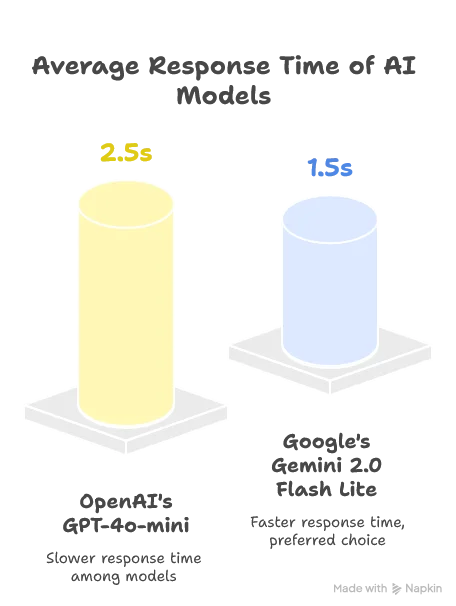
Both models provided comparable quality for our use case, but Gemini’s faster response time made it the preferred choice.
Note: The AI landscape evolves rapidly. As of this writing (May 2025), these were the best options, but newer models may offer better performance.
Implementation: Setting Up the Infrastructure
Since the Java ecosystem lacked mature LLM integration libraries (like Python’s LangChain) as of March 2025, we need to build our own integration. Let’s start by adding the necessary dependencies:
<!-- https://mvnrepository.com/artifact/io.circe/circe-core -->
<dependency>
    <groupId>io.circe</groupId>
    <artifactId>circe-core_3</artifactId>
    <version>0.15.0-M1</version>
</dependency>

<!-- https://mvnrepository.com/artifact/io.circe/circe-parser -->
<dependency>
    <groupId>io.circe</groupId>
    <artifactId>circe-parser_3</artifactId>
    <version>0.15.0-M1</version>
</dependency>

<!-- https://mvnrepository.com/artifact/io.circe/circe-generic -->
<dependency>
    <groupId>io.circe</groupId>
    <artifactId>circe-generic_3</artifactId>
    <version>0.15.0-M1</version>
</dependency>

<!-- https://mvnrepository.com/artifact/com.softwaremill.sttp.client3/core -->
<dependency>
    <groupId>com.softwaremill.sttp.client3</groupId>
    <artifactId>core_3</artifactId>
    <version>3.10.3</version>
</dependency>

<!-- https://mvnrepository.com/artifact/com.softwaremill.sttp.client3/circe -->
<dependency>
    <groupId>com.softwaremill.sttp.client3</groupId>
    <artifactId>circe_3</artifactId>
    <version>3.10.3</version>
</dependency>
We’re using:
- Circe: For JSON parsing and serialization
- STTP: For making asynchronous HTTP requests to the Gemini API
Building the Gemini Client
Let’s create our Gemini client to handle API interactions. The client consists of initialization logic and the core completion method:
class GeminiClient(apiKey: Option[String], defaultModel: String = "gemini-2.0-flash-lite")(using ExecutionContext) extends ModelClient with SDLBLogger:
  // Custom defined models
  import GeminiModels.*

  private val backend = HttpClientFutureBackend()
  private val baseUrl = "https://generativelanguage.googleapis.com/v1beta/models"
  trace(s"Gemini API Key: ${if apiKey.isDefined then "correctly set" else "not set"}")

def isEnabled: Boolean = apiKey.isDefineddef completeAsync(prompt: String, model: String = defaultModel): Future[String] =
if !isEnabled then
warn("Gemini API key is not set. Skipping request.")
Future.successful("")
else
val request = GeminiRequest(
contents = List(Content(parts = List(Part(text = prompt)))),
generationConfig = Some(GenerationConfig(responseMimeType = Some("application/json")))
)
val startInferenceTime = System.currentTimeMillis()
basicRequest
.post(uri"$baseUrl/$model:generateContent?key=${apiKey.getOrElse("")}")
.header("Content-Type", "application/json")
.body(request)
.response(asJson[GeminiResponse])
.readTimeout(3.seconds)
.send(backend)
.map { response =>
response.body match
case Right(geminiResponse) =>
debug(s"Gemini response time: ${System.currentTimeMillis() - startInferenceTime} ms")
geminiResponse.candidates.headOption
.flatMap(candidate => candidate.content.parts.headOption)
.map(_.text)
.getOrElse("")
case Left(error) =>
warn(s"API error: ${error.toString}")
""
}.recover {
case e: Exception =>
warn(s"Request failed: ${e.getMessage}")
""
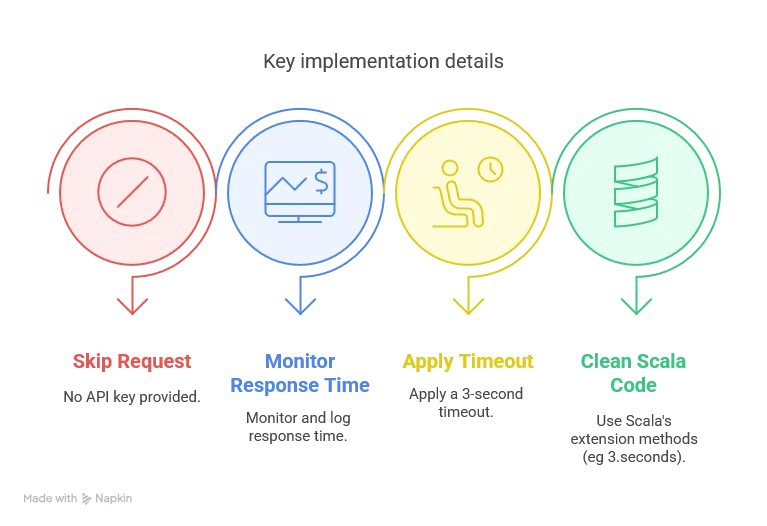
}There are two critical aspects in the client initialization:
- We use an asynchronous HTTP backend to avoid freezing the editor while waiting for responses.
- We include an
isEnabledcheck to gracefully handle cases where no API key is provided
Note: this presented version will actually freezes the client because we’re breaking the asynchronous advantage by
awaiting answers first. It will be however correctly handled when re-designing the system for respecting the low-latency constraints.
Crafting the Prompt
The prompt is crucial for getting good results from the LLM. Here’s our initial prompt for enhancing tabstops:
You're helping a user with code completion in an IDE.
The user's current file is about a Smart Data Lake Builder configuration, where the "dataObjects" block provides all the data sources
and the "actions" block usually defines a transformation from one or more data sources to another.
Extract a list of suggested tab stops default values.
Tab stops have the following format in the default insert text: ${number:default_value}.
Use the context text to suggest better default values.
Concerning the title of the object, try to infer the intention of the user.
For example, copying from the web to a json could be interpreted as a download action.
Output should be valid JSON with this schema:
[
  {
    "tab_stop_number": number,
    "new_value": string
  }
]

Default insert text:
$insertText

Suggested item is to be inserted in the following HOCON path:
$parentPath

Context text, HOCON format, the user's current file:
$contextText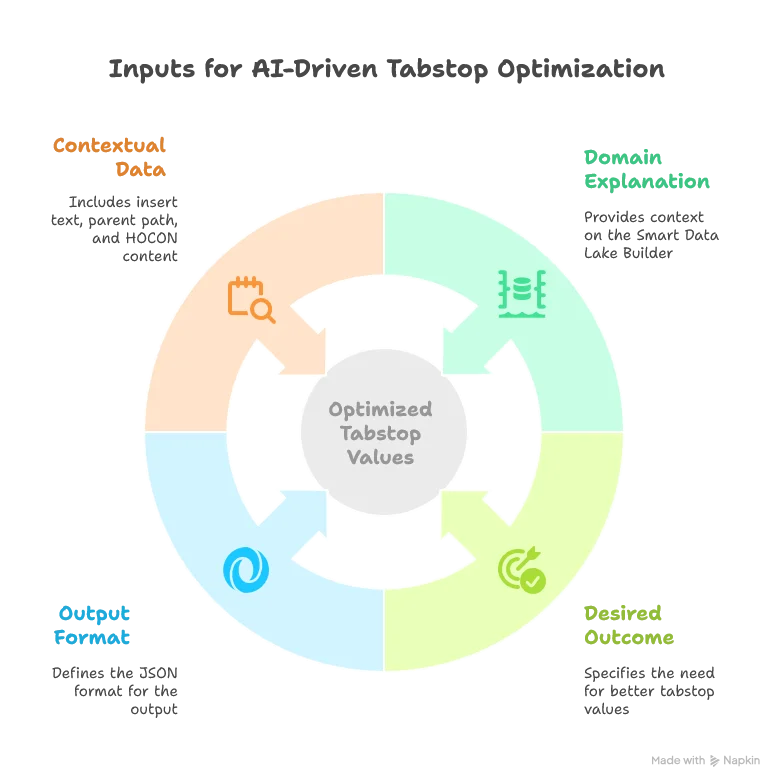
Implementing the AI Completion Engine
Now, let’s implement the AICompletionEngine that will use our Gemini client and prompt:
class AICompletionEngineImpl(modelClient: ModelClient)(using ExecutionContext) extends AICompletionEngine with SDLBLogger:

  private val maxInsertTextLength = 80_000
  private val defaultTabStopsPrompt = (as defined above)

  var tabStopsPrompt: Option[String] = None

  export modelClient.isEnabled

  def generateInsertTextWithTabStops(insertText: String, parentpath: String, context: String): Future[String] =
    val promptText = tabStopsPrompt.getOrElse(defaultTabStopsPrompt).stripMargin
                         .replace("$insertText", insertText)
                         .replace("$parentPath", parentpath)
                         .replace("$contextText", context)
                         .take(maxInsertTextLength)

    trace("calling Gemini client asynchronously...")
    val jsonResponse: Future[String] = modelClient.completeAsync(promptText)
    jsonResponse.map { jsonResponse =>
      applyTabStopReplacements(insertText, jsonResponse)
    }.recover {
      case e: Exception =>
        trace(s"Error generating insert text with tab stops: ${e.getMessage}")
        insertText
    }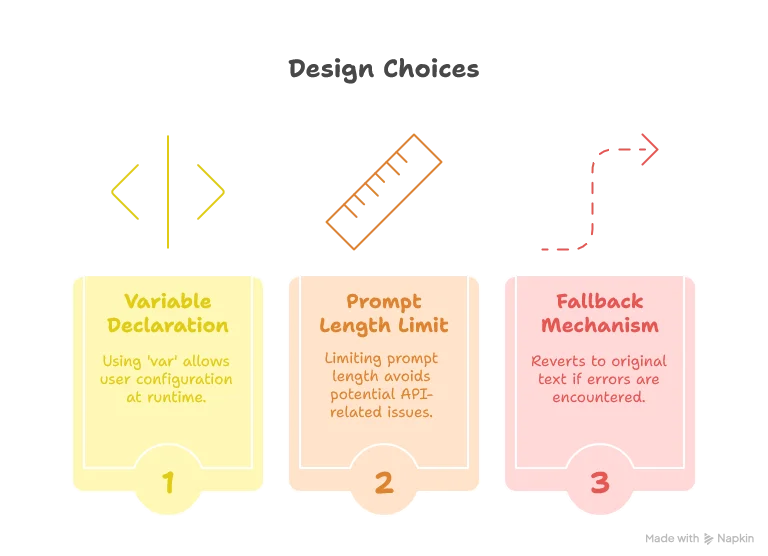
While using a var might seem un-Scala-like, it’s a pragmatic choice here since the user’s prompt configuration is only known at runtime and set only once when the LSP server starts.
Regarding security, allowing user-defined prompts comes with considerations. Since we’re using the user’s own API token, any potential misuse primarily affects the user themselves.
Integrating with the Completion System
Finally, let’s modify our completion method in the TextDocumentService to use AI-enhanced suggestions:
override def completion(params: CompletionParams): CompletableFuture[messages.Either[util.List[CompletionItem], CompletionList]] = Future {
  val uri = params.getTextDocument.getUri
  val context = uriToContexts(uri)
  val caretContext = context.withCaretPosition(params.getPosition.getLine+1, params.getPosition.getCharacter)
  val completionItems: List[CompletionItem] = completionEngine.generateCompletionItems(caretContext)
  val formattedCompletionItems = completionItems.map(formattingStrategy.formatCompletionItem(_, caretContext, params))

  if aiCompletionEngine.isEnabled then
    val enhancedItems = Await.result(
      Future.sequence(
        formattedCompletionItems.map(enhanceWithAICompletions)
      ),
      4.seconds // Wait a bit more than the HTTP backend timeout
    )

    Left(enhancedItems.toJava).toJava
  else
    Left(formattedCompletionItems.toJava).toJava
}.toJava

private def enhanceWithAICompletions(item: CompletionItem): Future[CompletionItem] = {
  Option(item.getData).map(_.toString)
    .flatMap(CompletionData.fromJson)
    .filter(_.withTabStops)
    .map { data =>
      aiCompletionEngine
        .generateInsertTextWithTabStops(item.getInsertText, data.parentPath, data.context)
        .recover {
          case ex: Exception =>
            debug(s"AI inference error: ${ex.getMessage}")
            item.getInsertText // Fallback to original text
        }
        .map { enhancedText =>
          item.setInsertText(enhancedText)
          item
        }
    }
    .getOrElse(Future.successful(item)) // Return the original item if it doesn't pass the filter
}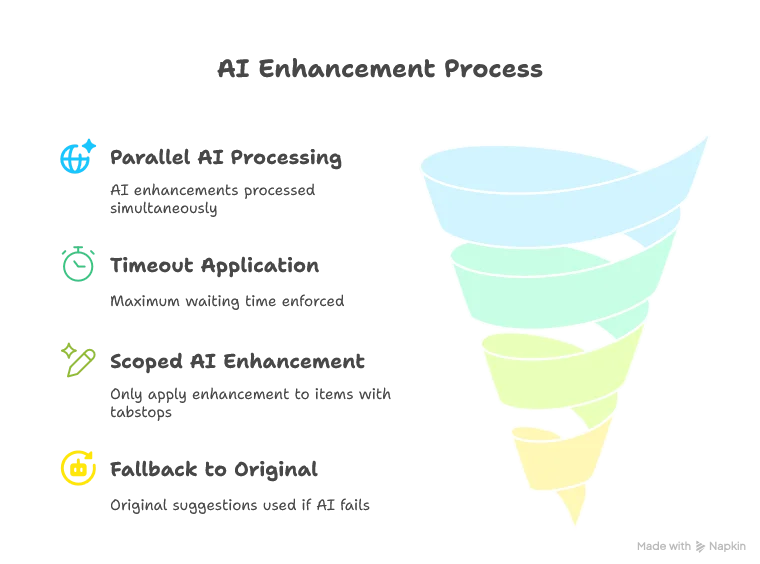
One limitation is that we’re still potentially waiting around 1.5 seconds for the completions to return, which might feel slow to users. This will be the primary focus of Part 7.
Setting Up Dependency Injection
Finally, we need to set up our dependency injection in AppModule:
trait AppModule:
  // ... other components ...
  val modelClient: ModelClient = new GeminiClient(Option(System.getenv("GOOGLE_API_KEY")))
  val aiCompletionEngine: AICompletionEngineImpl = new AICompletionEngineImpl(modelClient)
Note that we fetch the API key at the highest level of the application and pass it down to the client. This approach keeps our core implementation pure and makes it easier to test.
Conclusion
In this article, we’ve successfully integrated AI capabilities into our LSP server to enhance code completion.
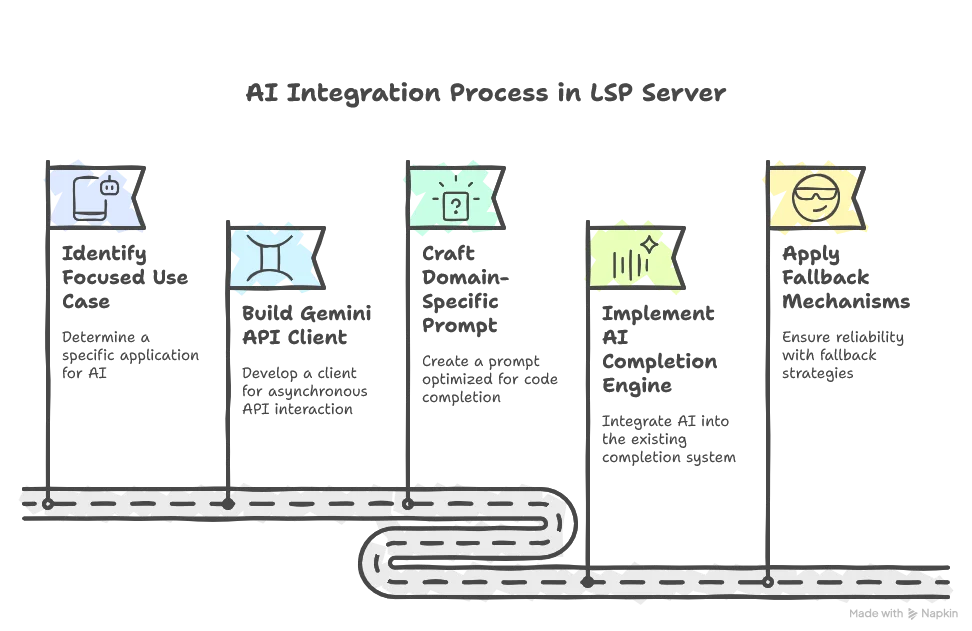
While our implementation works, there’s a notable performance challenge: the ~1.5 second waiting time for AI enhancements might make the editor feel sluggish. In Part 7, we’ll address this by implementing advanced optimization techniques to dramatically reduce the perceived latency, making the AI-powered suggestions feel almost instantaneous.
We’ll also explore how to make the system even more customizable by allowing users to configure their own prompts, leveraging their domain expertise to get the best results from the AI.
Stay tuned for “Building a Scala 3 LSP Server - Part 7: Optimizing AI Completions for Low Latency” where we’ll solve the performance challenges and make our AI integration truly seamless.
