
Optimizing AI
Welcome to the seventh part of this LSP series. In the previous article (Part 6), we integrated AI capabilities into our LSP server to enhance code completion with intelligent tabstop suggestions. However, we ran into a significant challenge: performance. The AI-enhanced completions caused the IDE to freeze for about 1.5 seconds while waiting for responses from the Gemini API.
If you haven’t read Part 6 yet, I highly recommend checking it out first, as this article builds directly on the AI integration techniques we established there. We’ll now focus on optimizing those AI completions to achieve a responsive, low-latency user experience.
📦 View the source code on GitHub – Explore the complete implementation. Leave a star if you like it!
The Latency Problem
Even though we’re now able to generate AI-enhanced templates, we make the IDE freeze for about 1.5 seconds before showing the list of possible completion items to users. This creates several problems:
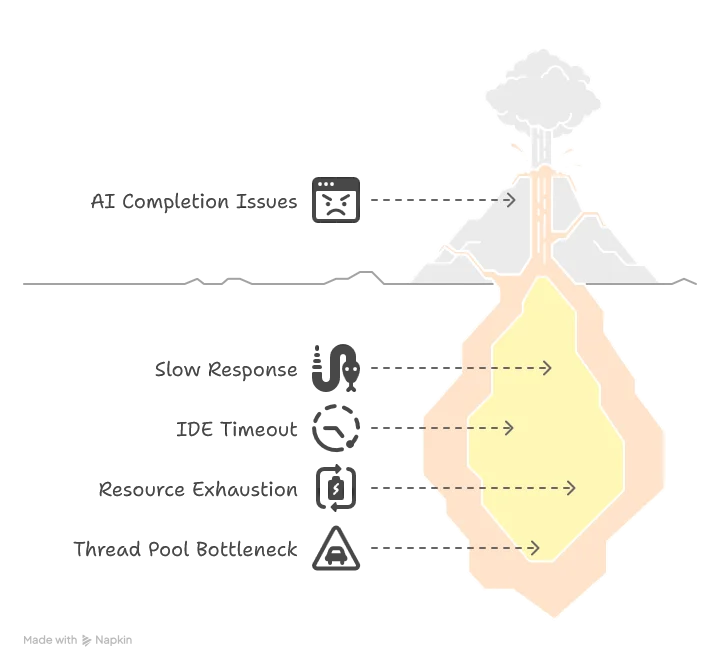
- Poor user experience: A 1.5-second delay feels sluggish and disrupts the flow of coding
- IDE timeouts: Some IDEs won’t even wait for the answer and will send a
cancelRequestevent, resulting in an empty completion list - Resource exhaustion: If the user retries multiple times, they might exhaust the thread pool connection, leading to deadlocks and completely freezing the server
The Two-Phase Completion Solution
Fortunately, the LSP protocol provides a solution through the completionItem/resolve event. This allows us to implement a two-phase completion process:
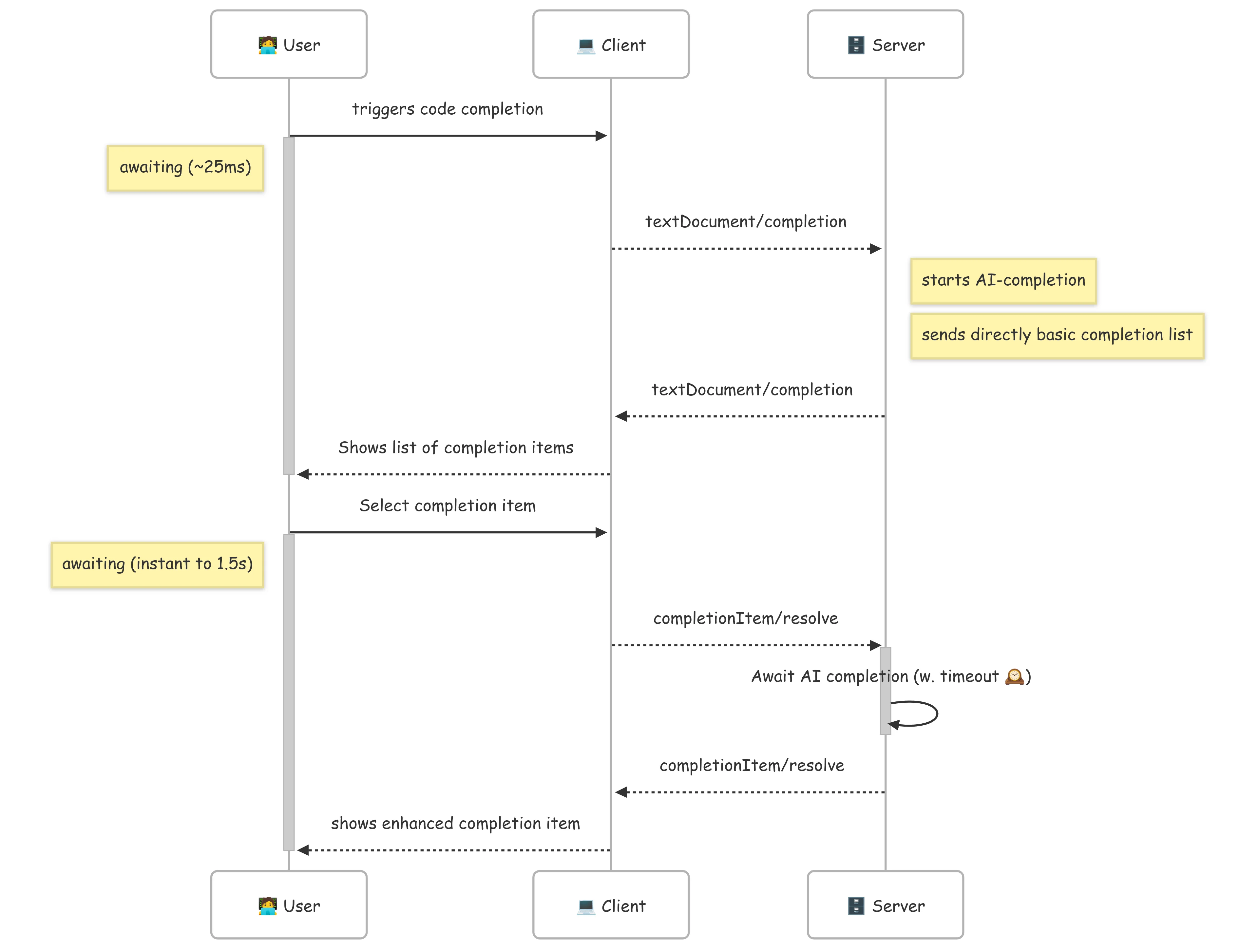
Here’s how the improved workflow works:
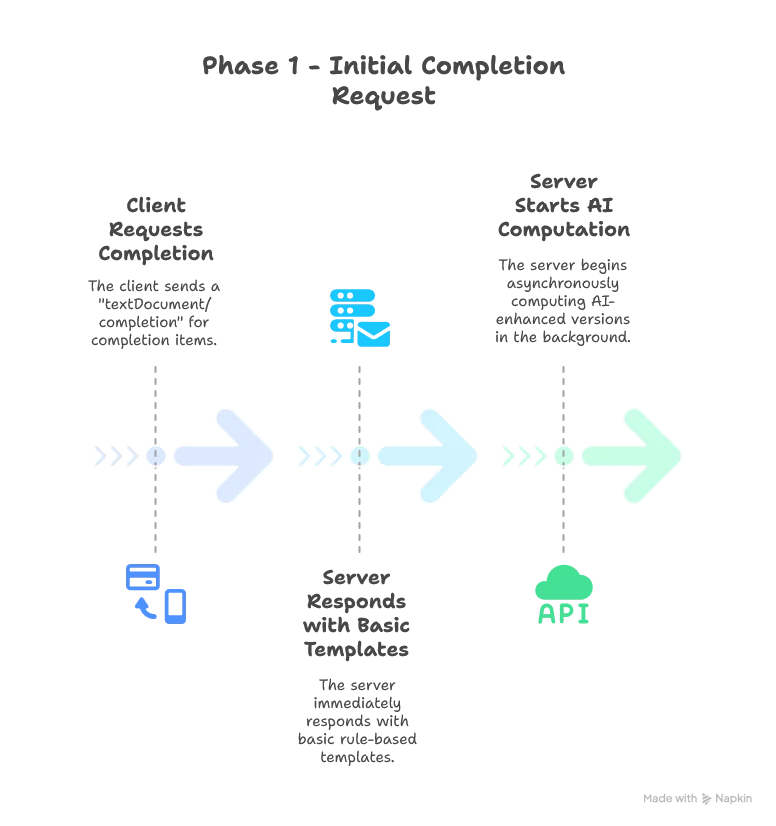
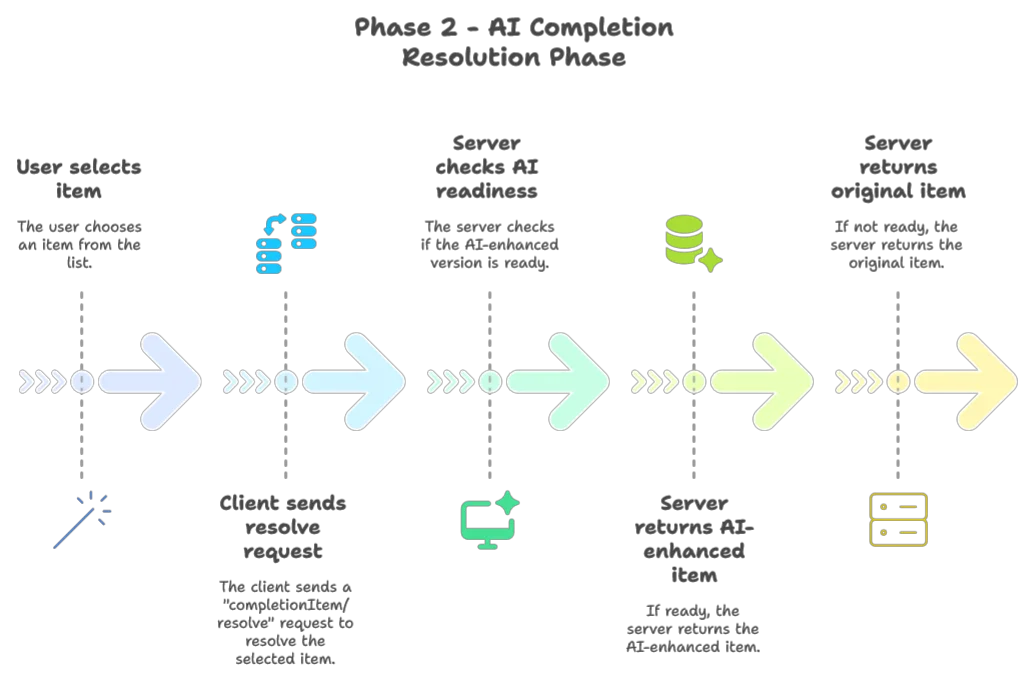
This approach gives us the best of both worlds: instant response for the initial list while still delivering AI enhancements when the user makes a selection. The second phase can also feel instant if the user hesitate at least 1.5 seconds before making their choice.
Implementation: Optimizing TextDocumentService
Let’s start by refactoring our TextDocumentService to implement this two-phase approach:
class SmartDataLakeTextDocumentService(
      private val completionEngine: SDLBCompletionEngine,
      private val hoverEngine: SDLBHoverEngine,
      private val aiCompletionEngine: AICompletionEngine)(using ExecutionContext)
      extends TextDocumentService
      with WorkspaceContext with ClientAware with SDLBLogger:

  private var uriToContexts: Map[String, SDLBContext] = Map.empty
  private val precomputedCompletions: TrieMap[String, Future[String]] = TrieMap.empty

  override def completion(params: CompletionParams): CompletableFuture[messages.Either[util.List[CompletionItem], CompletionList]] = Future {
    val uri = params.getTextDocument.getUri
    val context = uriToContexts(uri)
    val caretContext = context.withCaretPosition(params.getPosition.getLine+1, params.getPosition.getCharacter)
    val completionItems: List[CompletionItem] = completionEngine.generateCompletionItems(caretContext)
    val formattedCompletionItems = completionItems.map(formattingStrategy.formatCompletionItem(_, caretContext, params))

    if aiCompletionEngine.isEnabled then
      precomputedCompletions.clear()
      formattedCompletionItems.foreach(generateAICompletions)

    Left(formattedCompletionItems.toJava).toJava
  }.toJava

  private def generateAICompletions(item: CompletionItem): Unit =
    Option(item.getData).map(_.toString).flatMap(CompletionData.fromJson).filter(_.withTabStops).foreach { data =>
      val result = aiCompletionEngine
        .generateInsertTextWithTabStops(item.getInsertText, data.parentPath, data.context)
        .recover {
          case ex: Exception =>
            debug(s"AI inference error: ${ex.getMessage}")
            item.getInsertText // Fallback to original text
        }
      precomputedCompletions += (item.getInsertText -> result)
    }
Key aspects of this implementation:
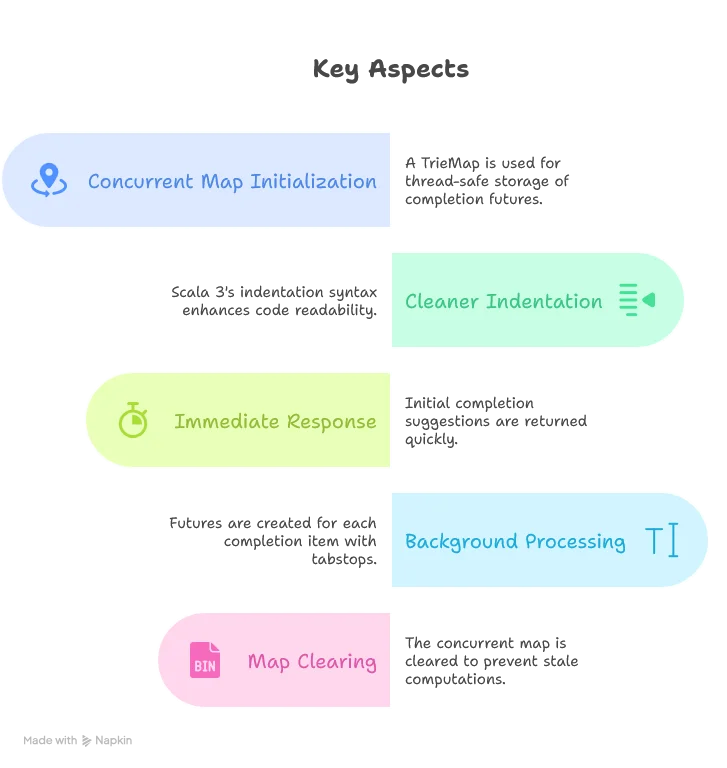
Implementing the Resolve Method
Now let’s implement the resolveCompletionItem method that handles the second phase of our two-phase completion:
override def resolveCompletionItem(completionItem: CompletionItem): CompletableFuture[CompletionItem] = Future {
    if aiCompletionEngine.isEnabled then

      Option(completionItem.getData).map(_.toString).flatMap(CompletionData.fromJson).foreach { data =>
        if data.withTabStops then
          precomputedCompletions.get(completionItem.getInsertText) match
            case Some(future) =>
              Try {
                // Try to get result with timeout
                val result = Await.result(future, 3000.milliseconds)
                completionItem.setInsertText(result)
                completionItem.setInsertTextMode(InsertTextMode.AdjustIndentation)
              }.recover {
                case _: java.util.concurrent.TimeoutException =>
                  // If timeout, don't modify the insert text - use default
                  debug("AI completion inference timeout, using default completion")
                case ex: Exception =>
                  debug(s"Error during AI completion: ${ex.getMessage}")
              }

            case None =>
              val futureInsertText = aiCompletionEngine.generateInsertTextWithTabStops(completionItem.getInsertText, data.parentPath, data.context)
              val insertText = Await.result(futureInsertText, 3000.milliseconds)
              completionItem.setInsertText(insertText)
              completionItem.setInsertTextMode(InsertTextMode.AdjustIndentation)
      }

    completionItem
  }.toJava
The resolve method has a few important aspects:
- Lookup First: We first check if we’ve already started computing an AI-enhanced version of this completion item
- Timeout Handling: We set a 3-second timeout to ensure we don’t keep the user waiting too long. Here decreasing this timeout should be perfectly fine if you prefer efficiency over possible enhanced completion items
- Fallback Mechanism: If the enhanced version isn’t ready or an error occurs, we gracefully fall back to the original item
- On-Demand Computation: If we don’t find a precomputed result (which might happen if the cache was cleared), we can compute it on the spot
This approach ensures that users see the completion list instantly, while still benefiting from AI enhancements when selecting an item. The timeout ensures that even the selection phase doesn’t feel sluggish.
Preventing Thread Pool Exhaustion
Our solution works, but there’s still a potential issue: thread pool exhaustion. If the user triggers multiple completion requests without selecting items, we might exhaust the LSP4J thread pool, potentially causing deadlocks.
To solve this, we’ll use a separate thread pool dedicated to AI processing. Here’s how we can refactor our AppModule:
trait AppModule:
  // ... other components ...

  val modelClient: ModelClient = new GeminiClient(Option(System.getenv("GOOGLE_API_KEY")))
  lazy val ioExecutorService: ExecutorService = Executors.newCachedThreadPool()
  lazy val ioExecutionContext: ExecutionContextExecutorService = ExecutionContext.fromExecutorService(ioExecutorService)
  val aiCompletionEngine: AICompletionEngineImpl = new AICompletionEngineImpl(modelClient)(using ioExecutionContext)

  lazy val serviceExecutorService: ExecutorService = Executors.newCachedThreadPool()
  lazy val serviceExecutionContext: ExecutionContext & ExecutorService = ExecutionContext.fromExecutorService(serviceExecutorService)
  lazy given ExecutionContext = serviceExecutionContext

  lazy val textDocumentService: TextDocumentService & WorkspaceContext & ClientAware = new SmartDataLakeTextDocumentService(completionEngine, hoverEngine, aiCompletionEngine)
  lazy val workspaceService: WorkspaceService = new SmartDataLakeWorkspaceService
By creating a dedicated ioExecutionContext for AI processing, we ensure that AI-related tasks don’t compete with core LSP functionality for thread resources. This separation is crucial for maintaining responsiveness.
We also need to make sure we properly shut down both thread pools when the server exits:
private def startServer(in: InputStream, out: PrintStream, clientType: ClientType) = {
  val sdlbLanguageServer: LanguageServer & LanguageClientAware = languageServer

  try
    // ... server initialization ...
  catch
    case NonFatal(ex) =>
      ex.printStackTrace(out)
      error(ex.toString)

  finally
    serviceExecutionContext.shutdownNow()
    serviceExecutorService.shutdownNow()
    ioExecutionContext.shutdownNow()
    ioExecutorService.shutdownNow()
    sys.exit(0)
}
This ensures that all resources are properly cleaned up when the server shuts down, preventing thread leaks.
Additional Optimizations
Beyond the two-phase completion approach, there are several other optimizations we could consider:
- Resource Limiting: Cap the number of concurrent AI requests to prevent overwhelming the API
- Intelligent Caching: Cache AI responses for common templates to avoid repeated API calls
- Priority Queue: Process AI enhancements for more likely selections first
These additional optimizations could further improve performance, especially for large projects with many completion options.
Conclusion
In this article, we’ve successfully optimized our AI-enhanced code completion system to provide a responsive user experience without sacrificing the power of AI suggestions. By implementing a two-phase completion process and careful thread management, we’ve addressed the latency challenges inherent in AI-powered features.
Our key accomplishments include:
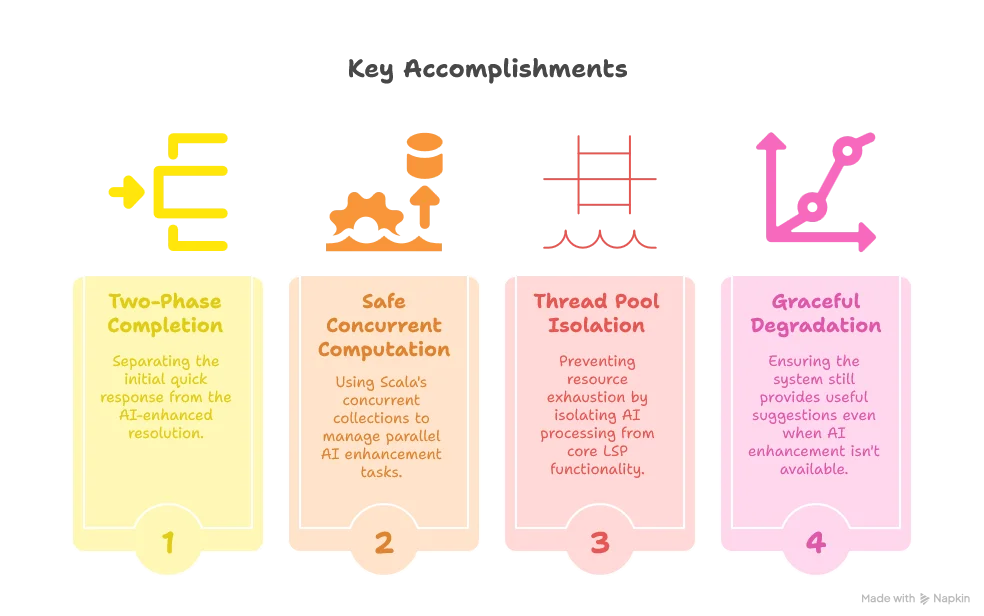
These optimizations transform what could have been a frustratingly slow feature into a seamless, responsive experience that genuinely enhances the developer’s workflow.
In the next part of our series, we’ll explore implementing multi-file context awareness, allowing our LSP server to provide even more intelligent suggestions by understanding relationships between different files in a project.
Stay tuned for “Building a Scala 3 LSP Server - Part 8: Multi-File Context Awareness” where we’ll tackle the challenge of making our LSP server understand the bigger picture beyond a single file.
